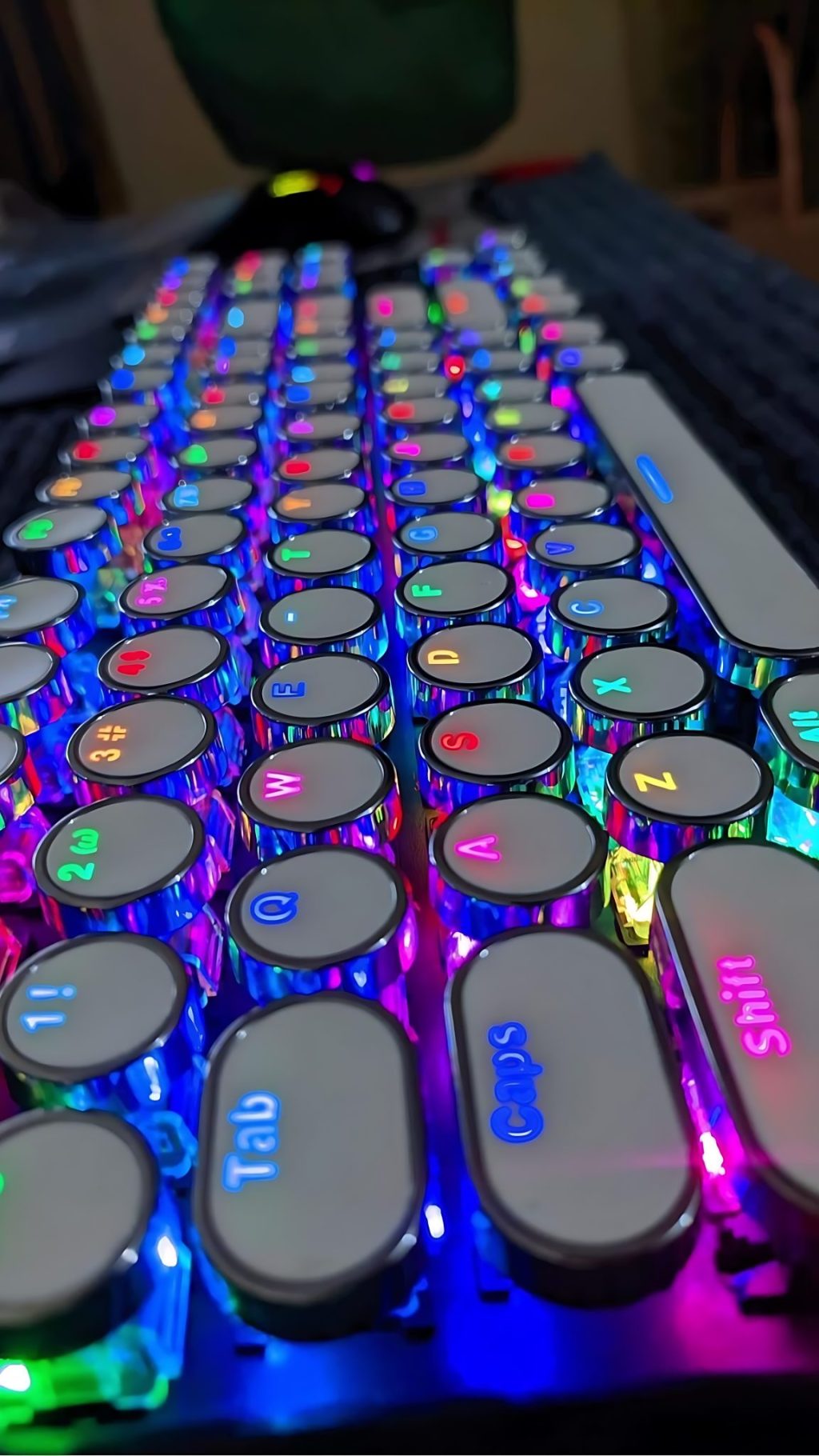
I was laying in bed watching YouTube with the display brightness turned way down. The keyboard backlight was screaming into my eyes. Apple’s M4 MacBook Pro removed the dedicated brightness keys, so adjusting it means digging through System Settings. At midnight. While trying to watch a video.
I decided to fix it. The result is TwinK[l]ey.
Now, I know absolutely zero Swift. Zero macOS development. I’ve never written an Apple app in my life. But I figured: how hard could it be to sync keyboard brightness to display brightness? The answer, it turns out, is “pretty hard if you don’t know what you’re doing.”
This was pure vibe coding with Claude Code from start to finish.
Apple doesn’t document keyboard brightness control. The old AppleLMUController? Only exists on pre-2015 machines. I had no idea what I was looking for, so “I” reverse-engineered KBPulse, another app that does brightness stuff. Claude helped me find KeyboardBrightnessClient hiding in the private CoreBrightness framework. Using it means dynamic loading with dlopen and calling Objective-C through objc_msgSend. I still don’t fully understand it, but it works.
Then the M4 quirk. On M1/M2/M3, brightness uses keyCodes 2 and 3. On M4? keyCode 6. Which is normally the power key. For both directions. I only figured this out through trial and error because of course there’s no documentation for any of this.
The name: TwinK[l]ey. Say it out loud. Twin Key. The brightness keys are doing dual duty now – display and keyboard. Also “Twinkley” like twinkling stars. Brightness. Get it? The brackets are just because I thought it looked cool. Don’t judge me.
From the first commit, one rule: don’t poll. If there’s an event, use it. I hate the waste of modern apps. Electron nonsense eating gigabytes of RAM, apps polling in the background burning through battery. I wanted to fight back. CPU and memory usage were at the top of my mind from day one.
CGEvent.tapCreate intercepts brightness changes system-wide – brightness keys, Control Center, Touch Bar, whatever. The app sits at 0% CPU until something actually happens. Claude was fine with a more bloated approach. I pushed for minimal. We even tried Objective-C for a while to reduce the footprint, but it was too much given my zero Apple development history.
The Git repo wasn’t created until the app already worked. First commit had 52 tests, code signing, docs. When I say “I” wrote the tests, it was 100% Claude. I’m sure they are allll perfect.
January 18 got intense. Nearly 20 hours, 283 messages back and forth, a ton of time spent just sitting with Claude doing its thing in the background with me hitting yes.
Most of that went into diagnostics that I didn’t know I needed until Claude built them. Debug Window, event tap health monitoring, CLI tools. The debug features bloated the binary to 305KB, double my target.
The fix was lazy loading. Move the UI into a separate library that only loads when you actually need it. A few milliseconds delay when opening rarely-used windows. Worth it. Binary dropped to 192KB.
Some bugs were weird. Crashes from using %s with Swift strings instead of %@. I had no idea what that meant but Claude fixed it. Sync would randomly stop after sleep because macOS disables event taps during wake. Added health monitoring and auto-recovery.
January 19: code coverage dropped to 61%. Asked Claude to fix it. 27 tests in 30 minutes, back to 97.99%. I pushed: “How do we get to 100%?” Refactoring. Move system calls to App, keep business logic testable in Core. Coverage hit 100%, tests grew from 51 to 87. I understood maybe 40% of what was happening.
Then Codex did a security review. Nine issues. One was serious: settings loaded from disk bypassed validation. You could set a 0ms timer interval and spin the CPU until the battery died. Fixed that. Another review found regressions. Third review found six more issues including non-atomic file writes. I pushed back: we should fix any bug, not just new ones. The fix was adding .atomic. Trivial change, prevents JSON corruption I guess.
January 27 was shipping day. Notarization kept rejecting builds. Sparkle 2 handles auto-updates, but the 2.8MB framework only loads when you actually check for updates – more lazy loading to keep the footprint small. GitHub Actions needed seven secrets for signing and notarization. “I” wrote helper scripts because I kept forgetting what went where.
First test release failed. Fix, test, repeat. Eventually worked.
Released a few betas. Clicked “Check for Updates,” saw Sparkle offering beta4, installed it, app relaunched. That was satisfying.
The useful dynamic was pushing back on Claude. When it suggested ignoring a pre-existing issue, I said no. When it was fine with bloat, I pushed for minimal. Different strengths: Claude for knowing Swift and macOS, me for stubbornness, efficiency obsession, and knowing when to argue.
By January 29: 103 tests, 100% coverage, zero lint violations, automated releases, working auto-updates. 136KB binary, 11MB memory, 0% idle CPU.
TwinK[l]ey shipped January 29, 2026. I went from zero Swift knowledge to a working macOS app in two weeks. It fixes the thing that annoyed me in bed that night.
If you have an M4 MacBook and this annoys you too, grab it from GitHub. It comes with absolutely no warranty, no support, and no guarantees. If it breaks something, that’s between you and the void. I will not help you. I barely understand how it works myself. You were warned.
February 2026 Addendum
I got the M4 keyCodes wrong. The original post said M4 uses keyCode 6 for brightness. Red herring. Reading event data directly from CGEvent gives you garbage that varies by foreground app. If you hit this, convert to NSEvent first:
// Wrong - gives inconsistent keyCodes
let data1 = event.getIntegerValueField(CGEventField(rawValue: 85)!)

// Right - keyCodes come back as 2 and 3
let data1 = NSEvent(cgEvent: event)?.data1Code language: Swift (swift)
Same keyCodes as every other Mac. The debugging saga is in docs/macos-media-keys-reference.md.
Also: Control Center works instantly. I assumed the brightness slider might bypass the event system. Nope, it fires NX_SYSDEFINED events too, just with different parameters:
| Source | Subtype | keyCode |
|---|---|---|
| Physical brightness keys | 8 (AUX_CONTROL_BUTTONS) | 2 (up) / 3 (down) |
| Control Center slider | 7 (AUX_MOUSE_BUTTONS) | 0 |
The app catches both. The 10-second fallback timer only matters for weird edge cases like command-line tools calling DisplayServices directly.

Leave a Reply