I’m trying to force myself to do a few new things:
- Blog on a schedule
- Learn new stuff
Because of that, I’m starting over on derrick.blog and playing around here. I’ll be testing new WordPress stuff here, especially Gutenberg.

Jetpack now has its own built-in Markdown block:

I’d highly recommend using it instead 🙂
Original post below:
I’ve been playing around with Gutenberg a tiny bit recently and have realized that, at least in my case, it kind of eats the Jetpack Markdown module and doesn’t offer full markdown support.

I honestly know nothing about writing blocks for Gutenberg, but luckily GitHub user nuzzio does 🙂
This recent, but now closed PR to Jetpack was pretty much everything necessary to build a working block.
I’ve put my code up on GitHub as a WordPress plugin:
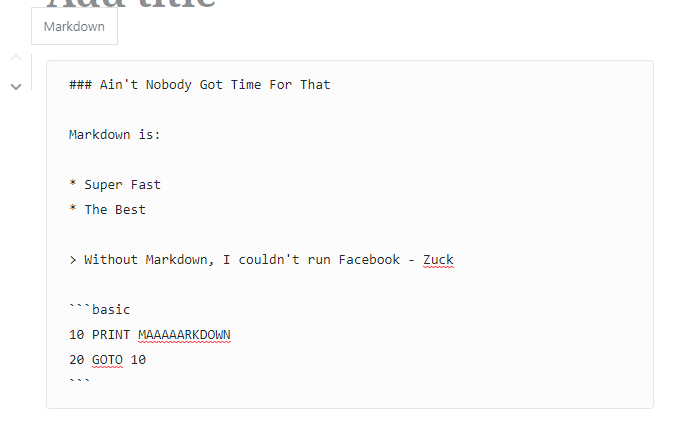
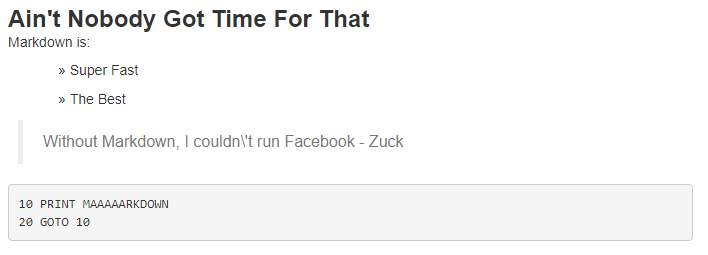
Like I said, I don’t know what I’m doing–so consider this plugin super beta.
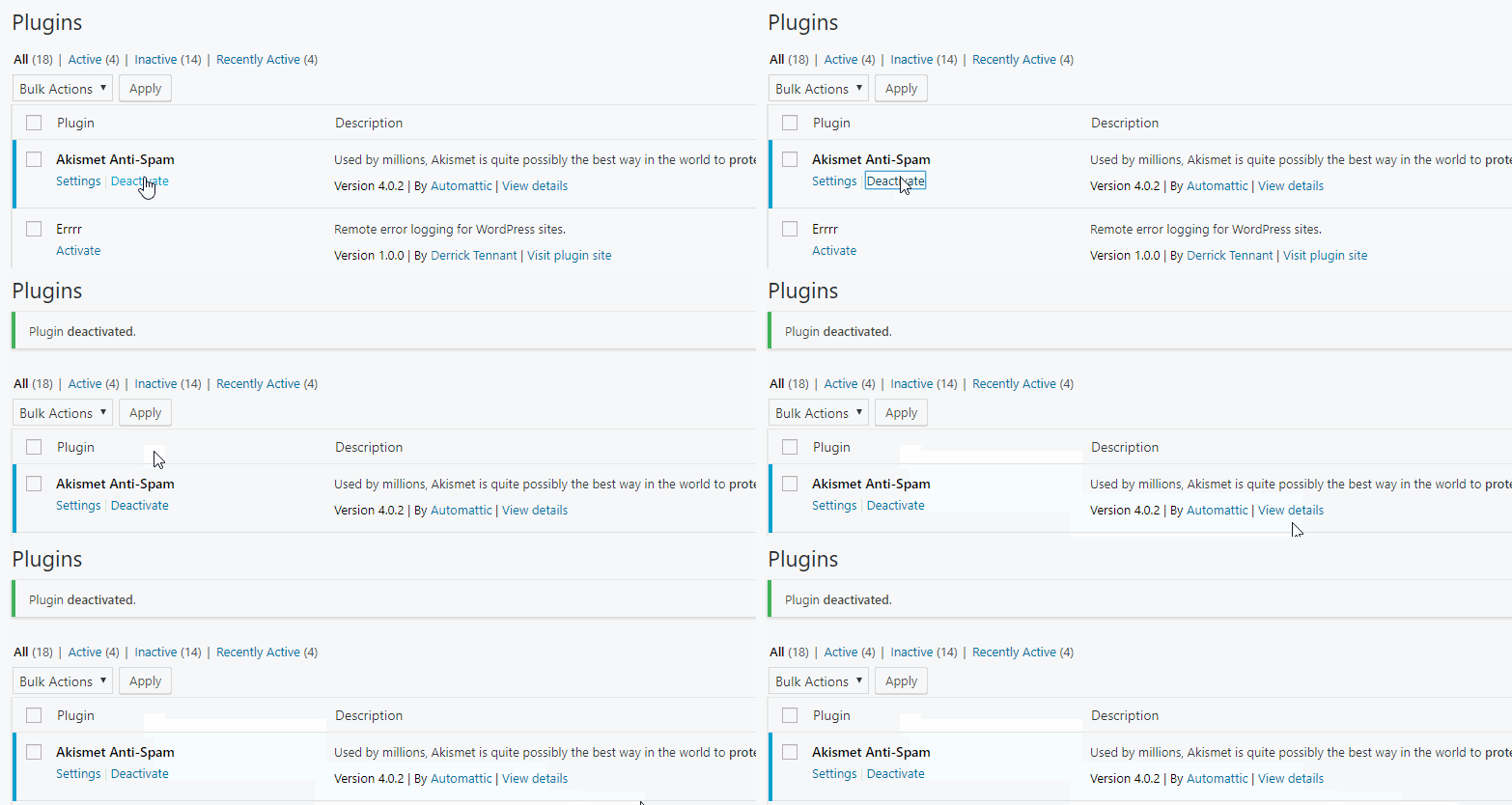
The problem came up recently about how to make sure plugins activated in the WordPress plugin UI don’t get deactivated if they are necessary for a site to function. I thought that was an interesting thought puzzle worth spending 15 minutes on, so I came up with this function as a solution:
function dt_force_plugin_active( $plugin ) {
add_filter( 'pre_update_option_active_plugins', function ( $active_plugins ) use ( $plugin ) {
// Match if properly named: wp-plugin (wp-plugin/wp-plugin.php).
$proper_plugin_name = $plugin . '/' . $plugin . '.php';
<pre><code> if (
file_exists( WP_PLUGIN_DIR . '/' . $proper_plugin_name )
&amp;&amp; is_file( WP_PLUGIN_DIR . '/' . $proper_plugin_name )
&amp;&amp; ! in_array( $proper_plugin_name, $active_plugins, true )
) {
$active_plugins[] = $proper_plugin_name;
return array_unique( $active_plugins );
}
// Match if improperly named: wp-plugin/cool-plugin.php.
if (
file_exists( WP_PLUGIN_DIR . '/' . $plugin )
&amp;&amp; is_file( WP_PLUGIN_DIR . '/' . $plugin )
&amp;&amp; ! in_array( $plugin, $active_plugins, true )
) {
$active_plugins[] = $plugin;
return array_unique( $active_plugins );
}
return array_unique( $active_plugins );
}, 1000, 1 );Code language: PHP (php)Which can be activated in your theme’s functions.php like so:
dt_force_plugin_active( 'akismet' ); or dt_force_plugin_active( 'wordpress-seo/wp-seo.php' );
The only downside that I’ve seen so far is that you still get the Plugin deactivated. message in the admin notices.

Still trying to figure out this iPhone camera.
Bonus: Covered bridge and a trash can:


“Oh, so magical”
I may be overestimating the “HDR” and camera on the iPhone. I wonder if it can do RAW.

So recently I’ve been hard on the iPhone, with lots of complaints. Truthfully, there are a lot of things that it’s doing right and I really like, such as:
I’m not saying that I’m in love yet. There are still some big issues. Somehow I turned off the sound for my text messages–still trying to figure out how to fix it :/

I made a small site recently where I wanted all newly registered users from a specific email domain to automatically be administrators (this is a terrible idea, don’t do it). The user registration was restricted by Single-Sign-On and 2-Factor Authentication, so I felt relatively safe doing this, especially since it was only a “for fun” project.
The interesting bit of code that upgraded users to admins is as follows:
add_action( 'user_register', 'upgrade_email_to_admin', 10, 1 );
function upgrade_email_to_admin( $user_id ) {
$user = get_user_by( 'ID', $user_id );
if ( false !== $user ) {
$email = $user->data->user_email;
// Only example.com please.
if ( false === strpos( $email, '@example.com' ) ) {
return;
}
$roles = $user-&gt;roles;
if ( ! in_array( 'administrator', $roles, true ) ) {
$user_update = array();
$user_update['ID'] = $user_id;
$user_update['role'] = 'administrator';
wp_update_user( $user_update );
}
}
Code language: PHP (php)This is 100% insecure, please do not do this 🙂
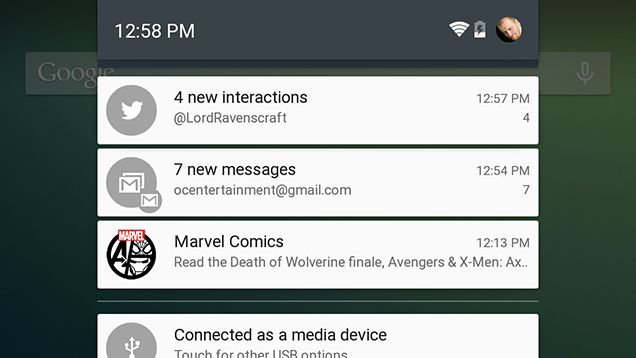
The big issue I’m having with iOS right now is the notification system. I feel like I’ve stepped back in time years. For a while now Android has had the ability to group similar notifications for an app. This makes organizing and clearing notifications very easy.
Compare this to iOS where the notifications are all separate:
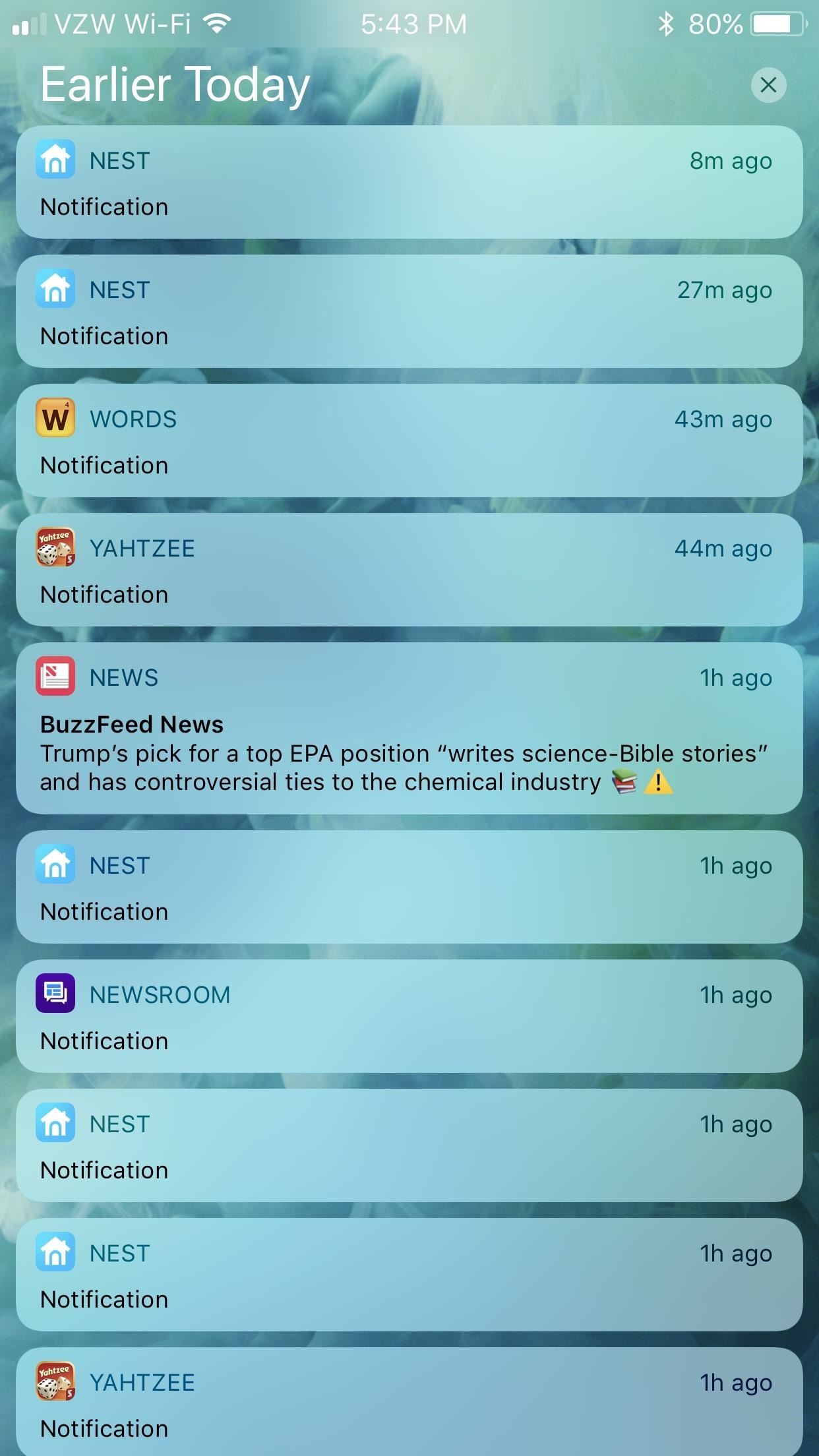
Along with this difference, clearing notifications takes more interactions. You either have to swipe left and tap, or swipe left twice. With Android, it’s one simple swipe and all of those unwanted notifications for a single app are gone.
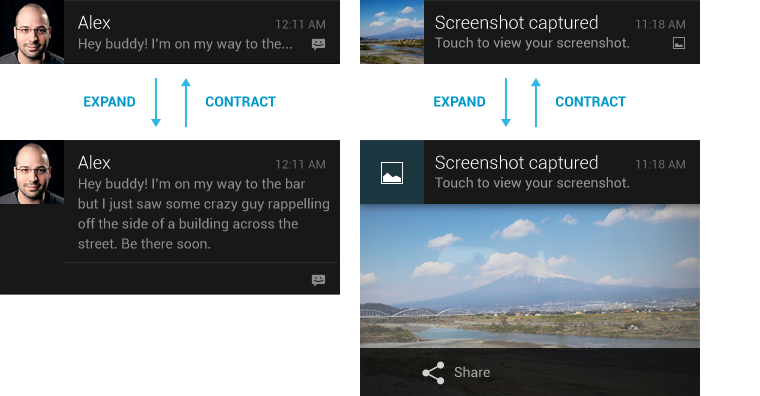
I know this sounds like a silly detail to complain about, but there’s just so much more about the Android notification experience. Many of the notifications are “rich” and provide more details when swiped down, such as image previews, more details, or the ability to reply to messages inline without opening an app.
It may be that iOS has these features as well, and I just don’t know how to use them since these features came to me organically on Android as they were added over the years. Because of that, I won’t hold it against iOS too much, but it’s still points taken away.

The first thing that I’ve learned during my transition to iOS is that the mobile keyboard experience is very subpar compared to Android. The stock iOS keyboard is bad, but even using a third party keyboard like Gboard doesn’t even come close to the experience on Android. The layout requires so many more taps to do simple things like numbers and punctuation.

Secondly, the down firing speakers of the iPhone 6s+ are absolutely terrible for consuming media–at least compared to the Nexus 6 and it’s stereo front firing speakers. Trying to watch a video on YouTube, I found myself having to hold the iPhone in an uncomfortable position to get even mediocre sound.
Now, that’s not to say that it’s all bad. The speed of this old iPhone, compared to my Nexus 6 is blazingly fast. All of the OS transitions are buttery smooth, there is absolutely no lag to be seen, and the camera can take pictures faster than I can tap!
The iOS experience doesn’t seem to be created for one-handed use, since I constantly have to stretch far to the top of the screen or exit lazy mode and get my second hand out to tap something at the top. Android’s bottom navigation bar is definitely a better user experience.