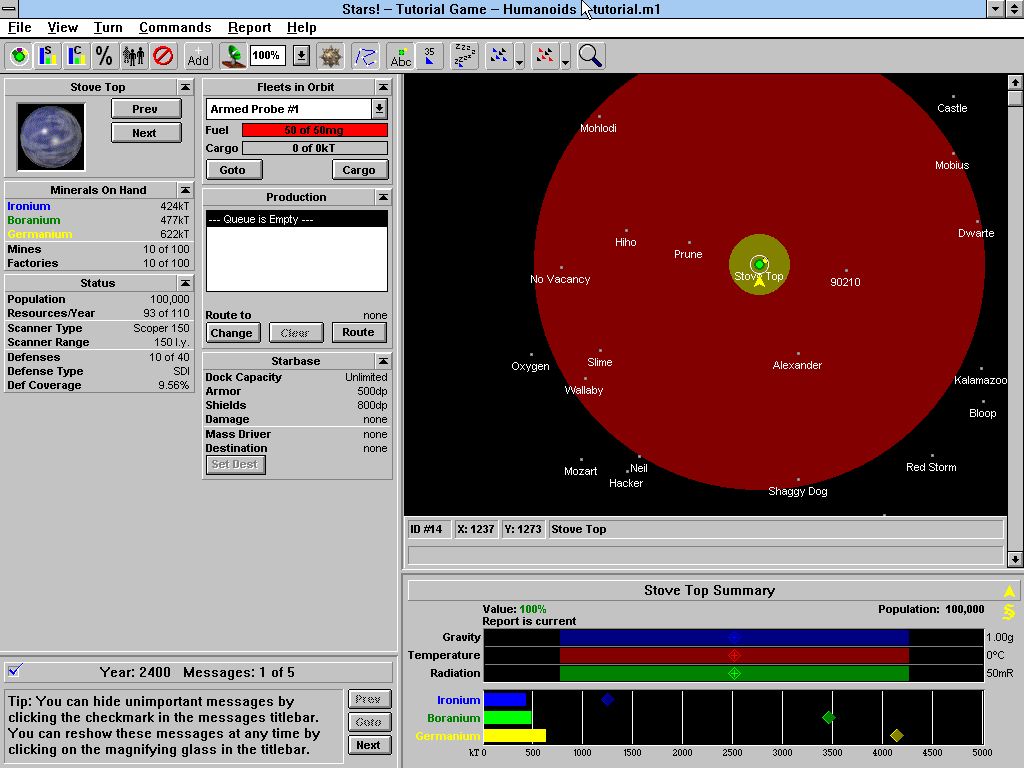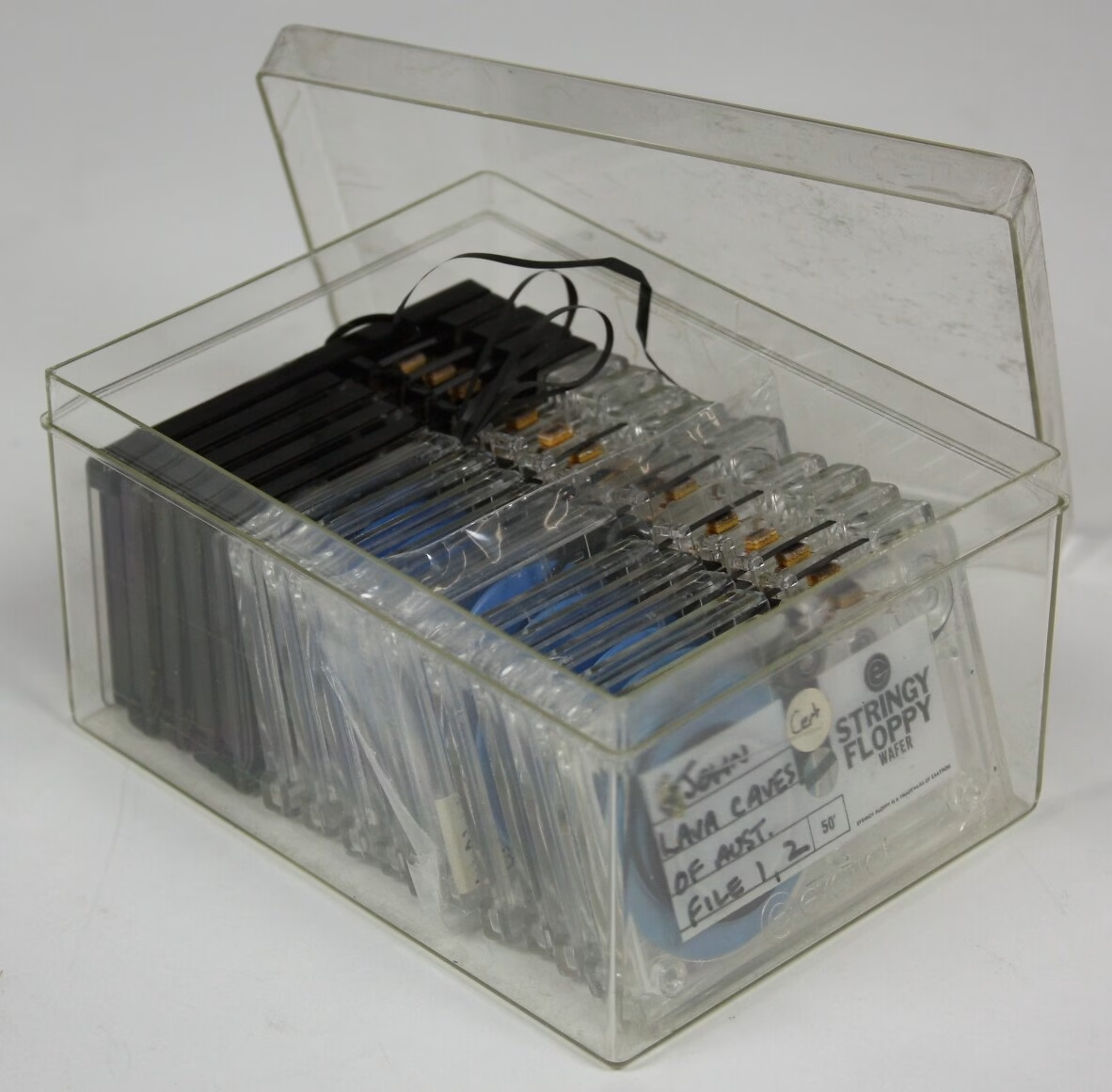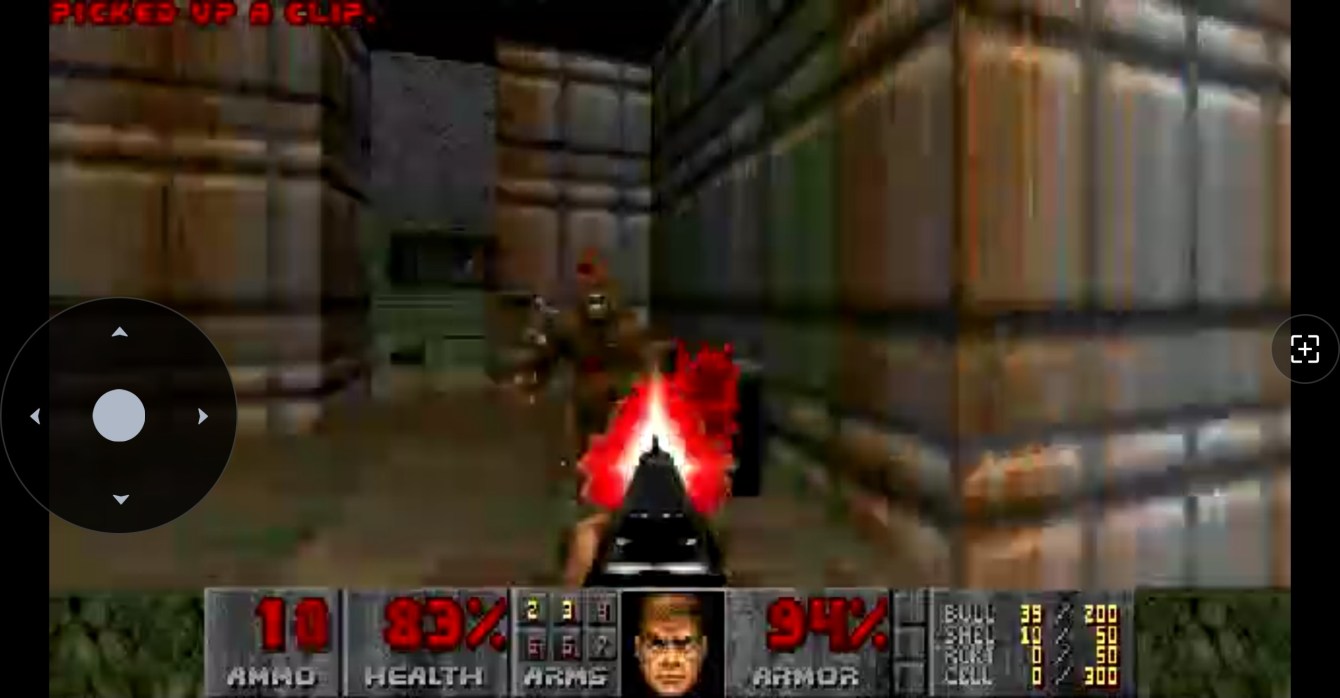
If you don’t know it, it’s a 4X space strategy game from 1995, Windows 3.x era, and it’s one of those games always end up thinking about, from my youth as a wee lad. The problem is it only runs in a 16/32 bit Windows environment, and getting that running on Apple Silicon in 2026 involves enough emulator layers make it a pain.
So I started decompiling it. The plan: figure out enough of the internals to build a native Apple Silicon port I can just… run. Like a normal person.
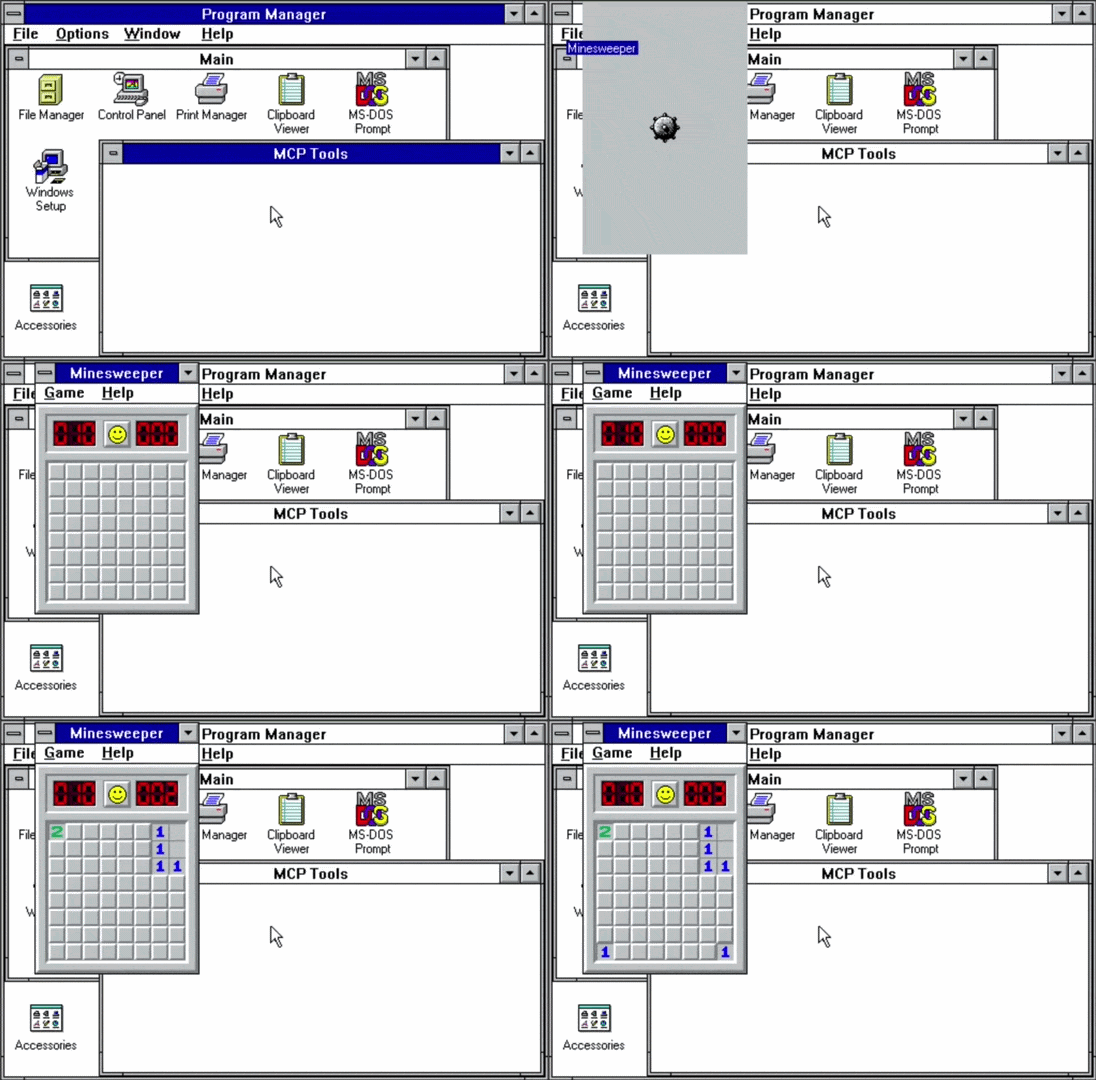
Turns out decompiling a 30-year-old Win16 game is a lot of work (I know, shocking), and at some point I needed a way to have an LLM automate testing against the real thing running in an emulator: launch the app, click through some UI, verify state, repeat. Basically a test harness for Windows 3.1.
There wasn’t one. So I built one.
The way this works is stupidly simple. You write a command to a text file. A tiny program running inside a DOS VM reads it, executes it, and writes the result to another file. That’s the entire protocol.
No sockets. No shared memory. Just files.
It’s called legacy-mcps because naming is hard, and the premise is remote-controlling DOS and Windows 3.1 from a modern machine. Two agents: a DOS TSR written in 8086 assembly, and a Win16 application written in C with Open Watcom. Both run inside their respective ancient OSes and expose an API to the outside world through this file-based IPC channel.
Why files
The shared drive is the trick. DOSBox-X can mount a host directory as a DOS drive. emu2 (a lightweight headless DOS emulator) does the same. The “files” the VM reads and writes are literally just files on the host. The host writes a command to __MCP__.TX, the agent polls for it, reads and deletes it, runs the command, and writes the response to __MCP__.RX. Response is either OK <result> or ERR <code>. Everything is ASCII. Everything fits on one line.
It’s almost offensively simple. But it works, and it works through every virtualization layer without any special driver support.
The DOS TSR
DOSMCP.COM is about 27KB of 8086 assembly (NASM, targeting real-mode DOS). It hooks INT 08h, the BIOS timer interrupt (which fires ~18 times per second), and uses that to poll for commands without blocking anything else. In TSR mode it installs itself and hands control back to DOS. Other programs keep running while it sits in the background.
153 commands across 22 families. Memory peek/poke, I/O port access, full file I/O, console control, VGA palette, raw interrupt invocation, APM power management, TSR enumeration. Basically anything you can do from DOS, you can now do remotely.
The fun part was getting TSR reentrancy right. DOS isn’t reentrant. If you call a DOS function while another one is already running, things go sideways. The standard fix is polling the InDOS flag (INT 21h/34h hands you a pointer to it) before touching any DOS function. Getting that right in 8086 assembly with no runtime support is… a time. So, thank you to my dear friend Claude.
The Win16 app
WINMCP.EXE is a hidden Win16 application, about 20KB as a New Executable, written in C with Open Watcom cross-compiling from macOS ARM64. It creates an invisible window, sets a 200ms timer, and polls for commands on each tick. Same protocol, different channel.
91 command families. Window enumeration and control, SendMessage/PostMessage, DDE, clipboard, dialog manipulation, mouse and keyboard simulation, journal record/playback via a companion hook DLL. Pretty much the a mini Win16 API surface, exposed over text files.
The scripting library is where it gets fun. lib/win-auto.js wraps all of this in a Playwright-style Node.js API:
waitForWindow(), locator(), sendKeys(), getClipboard(), the whole thing. Writing Playwright-style automation for a 32-year-old operating system is genuinely pretty fun.
The patched tools
Two tools needed surgery.
emu2 is a minimal DOS emulator for headless testing. Stock emu2 treats HLT as program termination. Bad news, because TSRs idle in HLT loops waiting for timer interrupts. I patched it to set an exit_cpu flag instead, so the main loop can fire interrupts and wake the TSR back up. Also added proper TSR support (INT 21h/31h), the InDOS flag, INT 28h for DOS idle, and a mouse driver. The patched binary runs all 153 DOS MCP tests headlessly in about 30 seconds.
DOSBox-X needed two things: a fix for the ARM64 OpenGL crash (Apple Silicon just kills the default renderer) and a TCP control server so the test harness can drive it without GUI interaction. The control server accepts text commands over localhost: PING, SCREENSHOT, SCREEN, TYPE, KEY, QUIT, and lets you automate the whole GUI from the outside.
Both patches are in patches/ as proper diffs with instructions for cloning the upstream repos and applying them. The base commits are pinned so it’s reproducible.
The LAN Manager server
For DOSBox-X and emu2 testing, the shared drive is just a host directory mount. But for real hardware, or an emulator that doesn’t support directory mounting like 86box, you need a network share.
Windows for Workgroups 3.11 only speaks LANMAN2.1 over NetBIOS-over-TCP (port 139). Modern Samba won’t negotiate down that far. macOS file sharing definitely won’t. So I built a minimal LANMAN2.1 SMB server in Node.js (smb-share/lanman-server.js) that speaks exactly what WFW 3.11 expects: NetBIOS session layer, DOS error codes (not NT status codes), OEM codepages, no Unicode, no NTLMSSP. Just the old dialect.
Anyways…
Pre-built binaries are in share/ if you just want to grab and run without building anything. The whole thing is at github.com/emrikol/legacy-mcps.
I had a private WordPress site that needed the REST API locked down. Nothing critical, just work stuff. I didn’t want data leaking. Blocking it is simple: hook into rest_authentication_errors, return a 401 for anyone who isn’t logged in.
Done. Except not done.
The site had password-protected posts with custom interactive blocks that fire REST API requests dynamically. When you enter the post password, WordPress sets a wp-postpass_* cookie. The REST API doesn’t know about that cookie. It sees an unauthenticated request and returns 401. Blocks break for visitors who legitimately entered the password.
So I needed an exception, and I built one. Probably the wrong way too ¯\_(ツ)_/¯
It ended up being two layers. The first is at rest_authentication_errors. That’s the gate. At this point you have no idea which post the user wants, you just need to know: do they have any valid postpass? So you grab all the unique post passwords from the database, run the WordPress cookie hash through PHPass’s CheckPassword() against each one.
If you get a match, let them through.
The second layer is WordPress’s capability system, specifically map_meta_cap / user_has_cap filters. That’s where the per-post check happens. WordPress already does this for password-protected posts on the frontend, so you can lean on existing behavior instead of reinventing it.
Caching matters here, obviously. The password list query hits the DB on every REST request without it, and if you have a lot of passwords that PHPass loop gets slow.
I ended up with dual caching: the list and per-cookie validation results.
The old approach of hashing wp_cache_get_last_changed() with the cache key did its job, but it was junk. Every invalidation left dead unreachable keys sitting in your object cache forever.
The new functions reuse the same key and do an in-memory comparison instead. Less garbage (even though I do love garbage).
For invalidation I built a custom postpass last-changed group that only busts the cache when post passwords actually change, not on every post save. Using the broader posts group would’ve nuked the cache hit rate.
Here’s the whole thing:
<?php/** * Get the list of public post statuses for postpass queries. * * Only public statuses matter — draft/private posts require login, * so their passwords are irrelevant for anonymous REST API access. * * @return string[] Array of public post status slugs. */functionpostpass_public_statuses(): array{
return array_values( get_post_stati( array( 'public' => true ) ) );
}
/** * Validate a post password cookie against all password-protected posts. * * This function checks if a cookie hash matches any post password in the database. * Results are cached to avoid expensive re-validation on subsequent requests. * * @param string $cookie_hash The PHPass hash from the wp-postpass cookie. * @return bool True if the cookie matches any post password, false otherwise. */functionvalidate_postpass_cookie_against_all_posts( string $cookie_hash ): bool{
/** * Early validation: Check if cookie is valid PHPass format * WordPress uses PHPass which produces hashes like: $P$B... (34 chars) */if ( ! preg_match( '/^\$P\$[A-Za-z0-9.\/]{31}$/', $cookie_hash ) ) {
returnfalse;
}
// Check object cache first to avoid repeated expensive validation. $cache_key = 'postpass_valid_' . md5( $cookie_hash );
$cache_group = 'postpass_validation';
$cache_salt = wp_cache_get_last_changed( 'postpass' );
$cached = wp_cache_get_salted( $cache_key, $cache_group, $cache_salt );
// wp_cache_get_salted() returns false on cache miss, so we store the string// 'false' for negative results. Decode it here — (bool) 'false' is true in PHP.if ( false !== $cached ) {
return'false' === $cached ? false : (bool) $cached;
}
global $wpdb;
$passwords_cache_key = 'post_passwords';
$passwords = wp_cache_get_salted( $passwords_cache_key, $cache_group, $cache_salt );
if ( false === $passwords ) {
/** * Query all unique post passwords from publicly-accessible posts. * Using DISTINCT because multiple posts may share the same password. */ $statuses = postpass_public_statuses();
$placeholders = implode( ', ', array_fill( 0, count( $statuses ), '%s' ) );
$passwords = $wpdb->get_col( // phpcs:ignore WordPress.DB.DirectDatabaseQuery.DirectQuery, WordPress.DB.DirectDatabaseQuery.NoCaching $wpdb->prepare(
// phpcs:ignore WordPress.DB.PreparedSQL.InterpolatedNotPrepared, WordPress.DB.PreparedSQLPlaceholders.UnfinishedPrepare"SELECT DISTINCT post_password FROM {$wpdb->posts} WHERE post_password != '' AND post_status IN ({$placeholders})",
$statuses
)
);
wp_cache_set_salted( $passwords_cache_key, $passwords, $cache_group, $cache_salt );
}
if ( empty( $passwords ) ) {
// Store 'false' string — wp_cache_get_salted() returns false on miss, so a boolean false is indistinguishable. wp_cache_set_salted( $cache_key, 'false', $cache_group, $cache_salt );
returnfalse;
}
// Check cookie hash against each unique password using PHPass.if ( ! class_exists( '\PasswordHash' ) ) {
require_once ABSPATH . WPINC . '/class-phpass.php'; // @codeCoverageIgnore }
$hasher = new \PasswordHash( 8, true );
foreach ( $passwords as $password ) {
/** * CheckPassword() re-hashes the plaintext password with the salt * embedded in the cookie hash and compares the results */if ( $hasher->CheckPassword( $password, $cookie_hash ) ) {
/** * Match found! This cookie is valid for at least one post * Cache positive result for 1 hour */ wp_cache_set_salted( $cache_key, true, $cache_group, $cache_salt );
returntrue;
}
}
// No match found - cookie doesn't match any post password, cache negative result. wp_cache_set_salted( $cache_key, 'false', $cache_group, $cache_salt );
returnfalse;
}
/** * Invalidate the postpass cache group when the set of public post passwords changes. * * Hooked to `wp_after_insert_post` so we see both $post (new) and $post_before (old). * * @param int $post_id Post ID. * @param WP_Post $post Post object after the update. * @param bool $update Whether this is an update (true) or new insert (false). * @param WP_Post|null $post_before Post object before the update (null on insert). */functionpostpass_maybe_invalidate_on_save( int $post_id, WP_Post $post, bool $update, ?WP_Post $post_before ): void{
$public_statuses = postpass_public_statuses();
if ( ! $update ) {
// New post: invalidate only if it has a password AND is in a public status.if ( '' !== $post->post_password && in_array( $post->post_status, $public_statuses, true ) ) {
wp_cache_set_last_changed( 'postpass' );
}
return;
}
// Update: check if the public password set changed. $was_public = in_array( $post_before->post_status, $public_statuses, true );
$is_public = in_array( $post->post_status, $public_statuses, true );
// Password changed on a post in a public status.if ( $is_public && $post->post_password !== $post_before->post_password ) {
wp_cache_set_last_changed( 'postpass' );
return;
}
// Post with a password moved into a public status.if ( ! $was_public && $is_public && '' !== $post->post_password ) {
wp_cache_set_last_changed( 'postpass' );
return;
}
// Post with a password moved out of a public status.if ( $was_public && ! $is_public && '' !== $post_before->post_password ) {
wp_cache_set_last_changed( 'postpass' );
}
}
add_action( 'wp_after_insert_post', 'postpass_maybe_invalidate_on_save', 10, 4 );
/** * Invalidate the postpass cache group when a public password-protected post is permanently deleted. * * @param int $post_id Post ID. * @param WP_Post $post Post object. */functionpostpass_maybe_invalidate_on_delete( int $post_id, WP_Post $post ): void{
if ( '' !== $post->post_password && in_array( $post->post_status, postpass_public_statuses(), true ) ) {
wp_cache_set_last_changed( 'postpass' );
}
}
add_action( 'before_delete_post', 'postpass_maybe_invalidate_on_delete', 10, 2 );
/** * Block REST API access to unauthorized users. * * @param WP_Error|null|bool $maybe_error The previous authentication check result. * * @return WP_Error|null|bool The authentication check result, or a new error if the user is not authorized. */functionlimit_rest_api( WP_Error|null|bool $maybe_error ): WP_Error|null|bool{
/** * If a previous authentication check was applied, pass that result along without modification. * * @see https://developer.wordpress.org/rest-api/frequently-asked-questions/#can-i-disable-the-rest-api */if ( true === $maybe_error || is_wp_error( $maybe_error ) ) {
return $maybe_error;
}
// Get post password cookie. $cookie_key = 'wp-postpass_' . COOKIEHASH;
$cookie_hash = isset( $_COOKIE[ $cookie_key ] ) ? wp_unslash( $_COOKIE[ $cookie_key ] ) : ''; // phpcs:ignore WordPress.Security.ValidatedSanitizedInput.InputNotSanitized, WordPressVIPMinimum.Variables.RestrictedVariables.cache_constraints___COOKIE// Validate cookie against all post passwords in database.if ( ! empty( $cookie_hash ) && validate_postpass_cookie_against_all_posts( $cookie_hash ) ) {
/** * Valid cookie - allow access. * The permission callbacks will still validate the cookie against * the SPECIFIC post being requested for defense in depth. */return $maybe_error;
}
// Deny access to the REST API for unauthorized users.if ( ! is_user_logged_in() ) {
returnnew \WP_Error(
'rest_auth_required',
'Not authorized',
array( 'status' => 401 )
);
}
return $maybe_error;
}
add_filter( 'rest_authentication_errors', 'limit_rest_api' );
/** * Filter the user's capabilities to allow access to password-protected posts. * * @param array $all_caps An array of all the user's capabilities. * @param array $caps Required primitive capabilities for the requested capability. * @param array $args Adds the context to the capability check. * @param WP_User $user The user object. * * @return array The filtered array of all the user's capabilities. */functionuser_read_capability_filter( array $all_caps, array $caps, array $args, WP_User $user ): array{
if ( isset( $args[0] ) && 'read_post' === $args[0] && isset( $args[2] ) ) {
$post = get_post( $args[2] );
if ( ! $post ) {
return $all_caps;
}
$can_read = user_can_read_post( $post->ID );
if ( $can_read && ! isset( $all_caps['read'] ) ) {
$all_caps['read'] = true;
}
}
return $all_caps;
}
add_filter( 'user_has_cap', 'user_read_capability_filter', 10, 4 );
/** * Filter meta capabilities to allow certain anonymous users access to posts. * * @param array $caps Primitive caps WP will check (returned value). * @param string $cap The meta cap being checked (e.g., 'read_post'). * @param int $user_id The user ID (0 for anonymous). * @param array $args Additional args; for 'read_post', $args[0] is post ID. * * @return array The filtered array of required primitive capabilities. */functionanonymous_user_meta_cap_filter( array $caps, string $cap, int $user_id, array $args ): array{
if ( 'read_post' !== $cap || empty( $args[0] ) ) {
return $caps;
}
$post_id = (int) $args[0];
$post = get_post( $post_id );
if ( ! $post ) {
return $caps;
}
if ( user_can_read_post( $post_id ) ) {
/** * Disallow happens before allow, so we return an empty array to indicate no restrictions. * * No primitive capabilities are required to read the post. */returnarray();
}
return $caps;
}
add_filter( 'map_meta_cap', 'anonymous_user_meta_cap_filter', 10, 4 );
/** * Check if the user can read a post by checking the post's password. * * @param int $post_id The ID of the post. * * @return bool Whether the user can read the post. */functionuser_can_read_post( int $post_id ): bool{
$post = get_post( $post_id );
if ( ! $post ) {
returnfalse;
}
// The correct way to auth here is with a header, but this will work temporarily. Change it for better security.if ( ! is_user_logged_in() && isset( $_COOKIE[ 'wordpress_logged_in_' . COOKIEHASH ] ) ) {
$login_cookie_value = $_COOKIE[ 'wordpress_logged_in_' . COOKIEHASH ]; // phpcs:ignore WordPress.Security.ValidatedSanitizedInput.InputNotSanitized, WordPressVIPMinimum.Variables.RestrictedVariables.cache_constraints___COOKIE $user_id = wp_validate_auth_cookie( $login_cookie_value, 'logged_in' );
if ( $user_id ) {
wp_set_current_user( $user_id );
}
}
if ( empty( $post->post_password ) || is_user_logged_in() ) {
remove_filter( 'user_has_cap', 'user_read_capability_filter', 10, 4 );
$current_user_can_read = current_user_can( 'read', $post_id );
add_filter( 'user_has_cap', 'user_read_capability_filter', 10, 4 );
return $current_user_can_read;
}
/** * At this point, we know the post is password protected and the user is not logged in. */ $cookie_key = 'wp-postpass_' . COOKIEHASH;
$cookie_hash = isset( $_COOKIE[ $cookie_key ] ) ? wp_unslash( $_COOKIE[ $cookie_key ] ) : ''; // phpcs:ignore WordPress.Security.ValidatedSanitizedInput.InputNotSanitized, WordPressVIPMinimum.Variables.RestrictedVariables.cache_constraints___COOKIE// Validate password using PasswordHash.if ( ! class_exists( '\PasswordHash' ) ) {
require_once ABSPATH . WPINC . '/class-phpass.php';
}
$hasher = new \PasswordHash( 8, true );
$password_matches = $hasher->CheckPassword( $post->post_password, $cookie_hash );
return $password_matches;
}
Code language:PHP(php)
I was laying in bed watching YouTube with the display brightness turned way down. The keyboard backlight was screaming into my eyes. Apple’s M4 MacBook Pro removed the dedicated brightness keys, so adjusting it means digging through System Settings. At midnight. While trying to watch a video.
Now, I know absolutely zero Swift. Zero macOS development. I’ve never written an Apple app in my life. But I figured: how hard could it be to sync keyboard brightness to display brightness? The answer, it turns out, is “pretty hard if you don’t know what you’re doing.”
This was pure vibe coding with Claude Code from start to finish.
Apple doesn’t document keyboard brightness control. The old AppleLMUController? Only exists on pre-2015 machines. I had no idea what I was looking for, so “I” reverse-engineered KBPulse, another app that does brightness stuff. Claude helped me find KeyboardBrightnessClient hiding in the private CoreBrightness framework. Using it means dynamic loading with dlopen and calling Objective-C through objc_msgSend. I still don’t fully understand it, but it works.
Then the M4 quirk. On M1/M2/M3, brightness uses keyCodes 2 and 3. On M4? keyCode 6. Which is normally the power key. For both directions. I only figured this out through trial and error because of course there’s no documentation for any of this.
The name: TwinK[l]ey. Say it out loud. Twin Key. The brightness keys are doing dual duty now – display and keyboard. Also “Twinkley” like twinkling stars. Brightness. Get it? The brackets are just because I thought it looked cool. Don’t judge me.
From the first commit, one rule: don’t poll. If there’s an event, use it. I hate the waste of modern apps. Electron nonsense eating gigabytes of RAM, apps polling in the background burning through battery. I wanted to fight back. CPU and memory usage were at the top of my mind from day one.
CGEvent.tapCreate intercepts brightness changes system-wide – brightness keys, Control Center, Touch Bar, whatever. The app sits at 0% CPU until something actually happens. Claude was fine with a more bloated approach. I pushed for minimal. We even tried Objective-C for a while to reduce the footprint, but it was too much given my zero Apple development history.
The Git repo wasn’t created until the app already worked. First commit had 52 tests, code signing, docs. When I say “I” wrote the tests, it was 100% Claude. I’m sure they are allll perfect.
January 18 got intense. Nearly 20 hours, 283 messages back and forth, a ton of time spent just sitting with Claude doing its thing in the background with me hitting yes.
Most of that went into diagnostics that I didn’t know I needed until Claude built them. Debug Window, event tap health monitoring, CLI tools. The debug features bloated the binary to 305KB, double my target.
The fix was lazy loading. Move the UI into a separate library that only loads when you actually need it. A few milliseconds delay when opening rarely-used windows. Worth it. Binary dropped to 192KB.
Some bugs were weird. Crashes from using %s with Swift strings instead of %@. I had no idea what that meant but Claude fixed it. Sync would randomly stop after sleep because macOS disables event taps during wake. Added health monitoring and auto-recovery.
January 19: code coverage dropped to 61%. Asked Claude to fix it. 27 tests in 30 minutes, back to 97.99%. I pushed: “How do we get to 100%?” Refactoring. Move system calls to App, keep business logic testable in Core. Coverage hit 100%, tests grew from 51 to 87. I understood maybe 40% of what was happening.
Then Codex did a security review. Nine issues. One was serious: settings loaded from disk bypassed validation. You could set a 0ms timer interval and spin the CPU until the battery died. Fixed that. Another review found regressions. Third review found six more issues including non-atomic file writes. I pushed back: we should fix any bug, not just new ones. The fix was adding .atomic. Trivial change, prevents JSON corruption I guess.
January 27 was shipping day. Notarization kept rejecting builds. Sparkle 2 handles auto-updates, but the 2.8MB framework only loads when you actually check for updates – more lazy loading to keep the footprint small. GitHub Actions needed seven secrets for signing and notarization. “I” wrote helper scripts because I kept forgetting what went where.
First test release failed. Fix, test, repeat. Eventually worked.
Released a few betas. Clicked “Check for Updates,” saw Sparkle offering beta4, installed it, app relaunched. That was satisfying.
The useful dynamic was pushing back on Claude. When it suggested ignoring a pre-existing issue, I said no. When it was fine with bloat, I pushed for minimal. Different strengths: Claude for knowing Swift and macOS, me for stubbornness, efficiency obsession, and knowing when to argue.
By January 29: 103 tests, 100% coverage, zero lint violations, automated releases, working auto-updates. 136KB binary, 11MB memory, 0% idle CPU.
TwinK[l]ey shipped January 29, 2026. I went from zero Swift knowledge to a working macOS app in two weeks. It fixes the thing that annoyed me in bed that night.
If you have an M4 MacBook and this annoys you too, grab it from GitHub. It comes with absolutely no warranty, no support, and no guarantees. If it breaks something, that’s between you and the void. I will not help you. I barely understand how it works myself. You were warned.
February 2026 Addendum
I got the M4 keyCodes wrong. The original post said M4 uses keyCode 6 for brightness. Red herring. Reading event data directly from CGEvent gives you garbage that varies by foreground app. If you hit this, convert to NSEvent first:
// Wrong - gives inconsistent keyCodeslet data1 = event.getIntegerValueField(CGEventField(rawValue: 85)!)
// Right - keyCodes come back as 2 and 3let data1 = NSEvent(cgEvent: event)?.data1Code language:Swift(swift)
Also: Control Center works instantly. I assumed the brightness slider might bypass the event system. Nope, it fires NX_SYSDEFINED events too, just with different parameters:
Source
Subtype
keyCode
Physical brightness keys
8 (AUX_CONTROL_BUTTONS)
2 (up) / 3 (down)
Control Center slider
7 (AUX_MOUSE_BUTTONS)
0
The app catches both. The 10-second fallback timer only matters for weird edge cases like command-line tools calling DisplayServices directly.
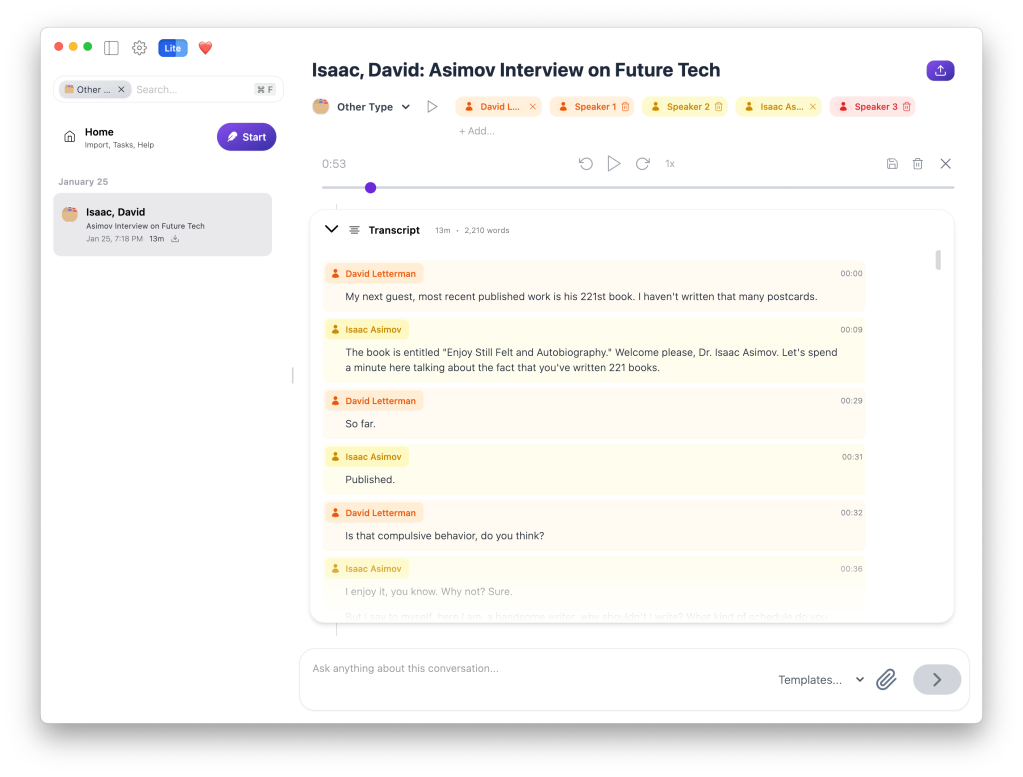
I use Quill Meetings for local on-device transcriptions of calls. It’s pretty great!
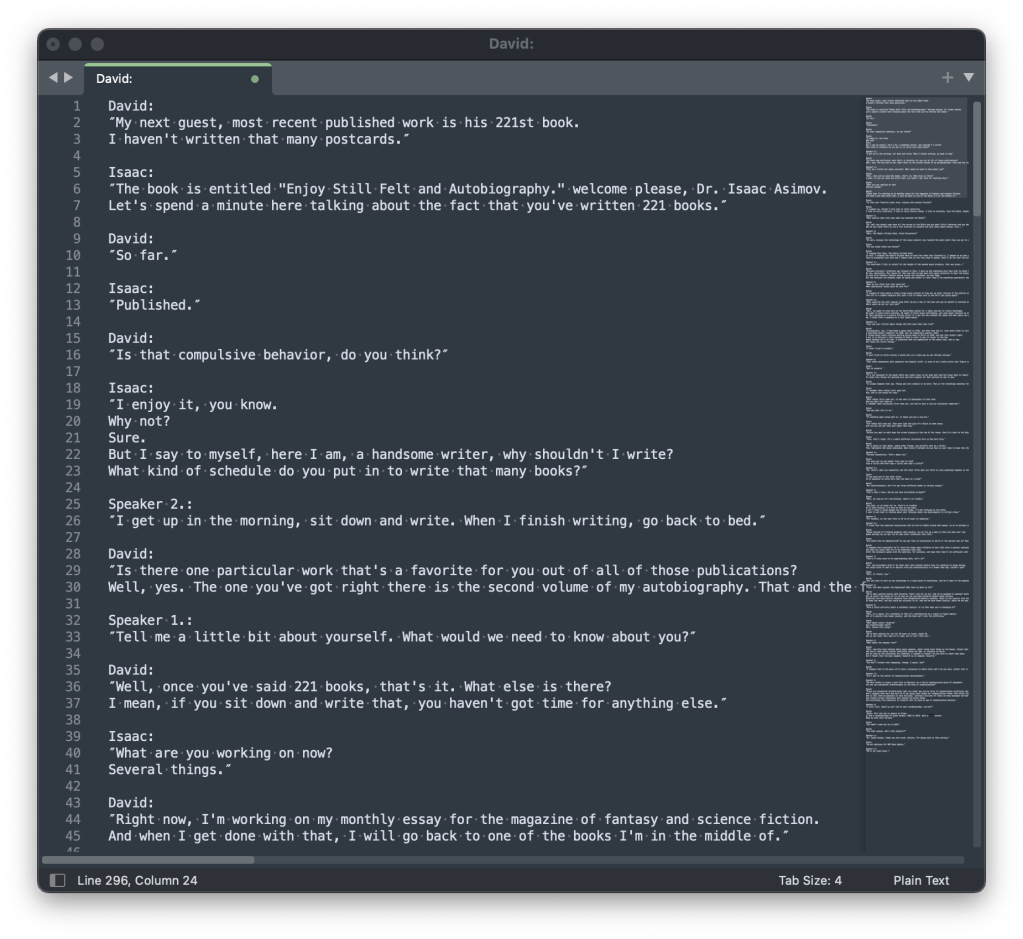
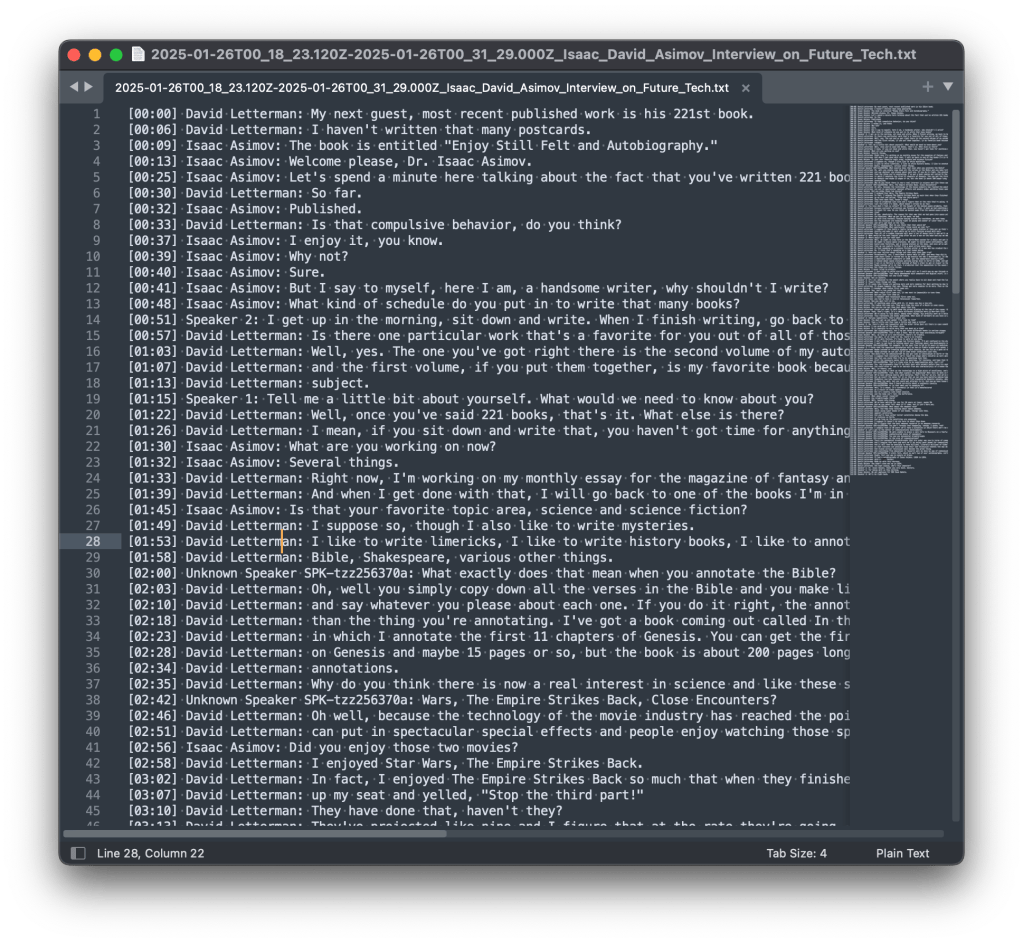
The app definitely has some quirks and is missing some features that I’d prefer, like the ability just export a text file of a call transcript. Sure, I can “copy” it and paste it into a file, but it’s missing things like timestamps:
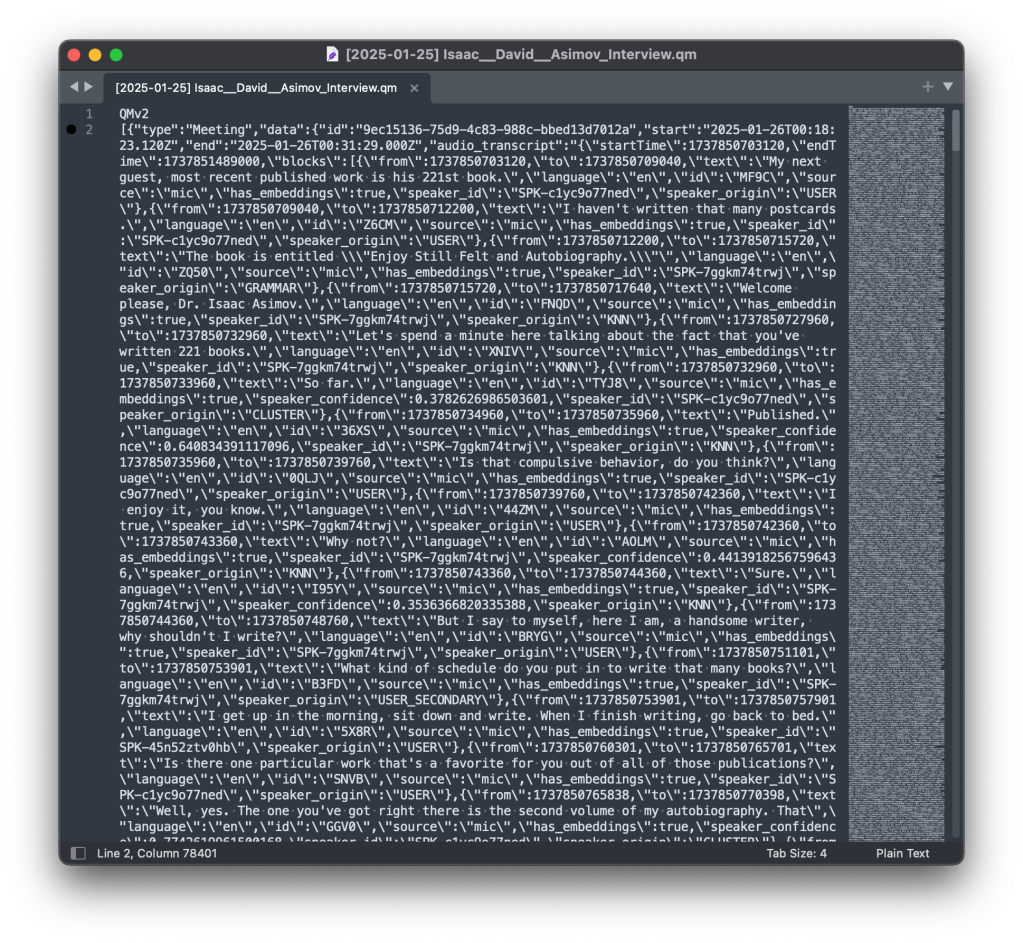
So I built a quick script to extract transcripts from .qm files for me. .qm files are basically just JSON files:
#!/opt/homebrew/bin/php<?phpdeclare(strict_types=1);
error_reporting( E_ALL );
ini_set( 'display_errors', '1' );
// Quill export dir is first argument, or current directory if not provided.
$export_dir = isset( $argv[1] ) ? rtrim( $argv[1], '/' ) : getcwd();
// Find every file that ends in .qm in the export directory.
$files = glob( $export_dir . '/*.qm' );
if ( ! $files ) {
echo"No .qm files found in the directory: $export_dir\n";
exit( 1 );
}
/**
* Each QM file is just a JSON file with a .qm extension and the first line being "QMv2"
* We need to read each file, remove the first line, and decode the JSON.
*/foreach( $files as $file ) {
if ( ! is_readable( $file ) ) {
echo"Cannot read file: $file\n";
continue;
}
// Read the file and remove the first line.
$content = file_get_contents( $file );
if ( false === $content ) {
echo"Failed to read file: $file\n";
continue;
}
// Remove the first line (QMv2).
$lines = explode( "\n", $content );
array_shift( $lines ); // Remove the first line.
$json_content = implode( "\n", $lines );
// Decode the JSON content.
$data = json_decode( $json_content, true );
if ( null === $data && json_last_error() !== JSON_ERROR_NONE ) {
echo"Invalid JSON in file: $file\n";
continue;
}
// Pretty print the JSON data.
$pretty_json = json_encode( $data, JSON_PRETTY_PRINT | JSON_UNESCAPED_SLASHES );
if ( false === $pretty_json ) {
echo"Failed to encode JSON for file: $file\n";
continue;
}
$speakers = array();
$transcript = array();
$output_string = '';
$output_file = '';
foreach ( $data as $quill_objects => $quill_object ) {
// Each Quill object is an array. We want to check if it has a 'type' of 'Meeting'.if ( isset( $quill_object['type'] ) && $quill_object['type'] === 'Meeting' ) {
$output_file = $quill_object['data']['start'] . '-' . $quill_object['data']['end'] . ': ' . $quill_object['data']['title'] . '.txt';
// The "audio_transcript" is just a JSON string that we need to decode.
$audio_transcript = json_decode( $quill_object['data']['audio_transcript'], true );
$encoded_speakers = $quill_object['data']['speakers'] ?? [];
foreach( $encoded_speakers as $encoded_speaker ) {
$speakers[ $encoded_speaker['id'] ] = $encoded_speaker['name'] ?? 'Unknown Speaker ' . $encoded_speaker['id'];
}
if ( ! isset ( $audio_transcript['startTime'] ) ) {
echo"Invalid start time in audio transcript for file: $file\n";
continue;
}
$start_time = $audio_transcript['startTime'];
$end_time = $audio_transcript['endTime'];
foreach( $audio_transcript['blocks'] as $block ) {
$time_block = ms_to_readable( $block['from'] - $start_time );
if ( isset( $block['speaker_id' ] ) ) {
$speaker_block = $speakers[ $block['speaker_id'] ];
} else {
echo'Unkown Speaker found. Please manually mark all speakers in Quill before exporting.' . PHP_EOL;
die( 1 );
}
$output_string .= sprintf( "%s %s: %s\n", $time_block, $speaker_block, $block['text'] );
}
}
}
if ( ! empty( $output_string ) && ! empty( $output_file ) ) {
// Sanitize the filename.
$output_file = sanitize_filename( $output_file );
// Write the output string to the file.if ( file_put_contents( $output_file, $output_string ) === false ) {
echo"Failed to write to file: $output_file\n";
} else {
echo"Exported to: $output_file\n";
}
} else {
echo"No valid Meeting data found in file: $file\n";
}
}
functionms_to_readable(int $ms): string{
// round to nearest second
$secs = (int) round($ms / 1000);
// gmdate formats seconds since 0 into H:i:s — we just need i:sreturn'[' . gmdate('i:s', $secs) . ']';
}
functionsanitize_filename(string $filename): string{
// strip any path information
$fname = basename($filename);
// replace any character that is NOT a-z, 0-9, dot, hyphen or underscore with an underscore
$clean = preg_replace('/[^\w\.-]+/', '_', $fname);
// collapse multiple underscoresreturn preg_replace('/_+/', '_', $clean);
}Code language:PHP(php)
and when I say “I” wrote it, it was probably half AI 🙃
One of the things that I had done, as previously blargged about here, is having a Pibooth Photo Booth.
I ended up writing three custom plugins that I’m going to share here. I had plenty of help from ChatGPT because I hate Python and it’s the worst language invented and it should be destroyed.
I also ended up hacking a bit of Pibooth core because its hook/plugin system was a bit lacking for my needs, but that was only around moving around some of the touchscreen UI items for a better user experience. But enough about that, here’s my three plugins:
Fullscreen Toggle
One of the things I wanted to be able to easily do, running a keyboard/mouseless touchscreen Raspbery Pi was to be able to jump in and out of Fullscreen mode to do things like debug printers, change Wifi, etc. So I pulled this plugin out of the ether. It allows you to touch the top right corner (or click, if that’s your thing) to toggle between fullscreen and windowed mode.
import pygame
from pibooth import hookimpl
from pibooth.utils import LOGGER
__version__ = "0.0.1""""
Plugin to toggle fullscreen/windowed mode by tapping top right corner in take-a-picture screen.
"""# Fractional region size
REGION_WIDTH_FRAC = 0.10# 10% width
REGION_HEIGHT_FRAC = 0.10# 10% height@hookimpldefstate_wait_do(cfg, app, win, events):"""
In the wait state (take-a-picture), detect a tap/click in the top-right corner
and toggle fullscreen mode.
"""# Only on the initial "take a picture" screen (wait state)# events: list of pygame eventsfor ev in events:
if ev.type in (pygame.MOUSEBUTTONUP, pygame.FINGERUP):
# Determine click positionif hasattr(ev, 'pos'):
x, y = ev.pos
else:
sw, sh = win.surface.get_size()
x, y = ev.x * sw, ev.y * sh
sw, sh = win.surface.get_size()
# Define top-right region
region_x0 = sw * (1 - REGION_WIDTH_FRAC)
region_y1 = sh * REGION_HEIGHT_FRAC
if x >= region_x0 and y <= region_y1:
# Toggle fullscreentry:
win.toggle_fullscreen()
LOGGER.info("[fullscreen_toggle] Toggled fullscreen mode")
except Exception as e:
LOGGER.error(f"[fullscreen_toggle] Failed to toggle fullscreen: {e}")
# Consume eventreturn ev
# Return None to fall back to default behaviorCode language:Python(python)
Upload to WordPress
Well, yeah. Obvi! This plugin uploads the photos to your WordPress Media library, with an optional tag and optional post object to attach them to. It will also update the URL so that it works with the “QR Code” plugin (not mine, from Pihole or something, IDK). You just have to add some of the options to your Pihole config file, like the hostname, username, application password, etc.
import os
import http.client
import base64
import json
import pibooth
from pibooth.utils import LOGGER
__version__ = "0.0.4"
SECTION = 'WORDPRESS'
PICTURE_SECTION = 'PICTURE'@pibooth.hookimpldefpibooth_configure(cfg):"""Declare the new configuration options"""
cfg.add_option(SECTION, 'wordpress_host', '',
"WordPress site host (e.g., 'yourwordpresssite.com')")
cfg.add_option(SECTION, 'wordpress_username', '',
"WordPress username")
cfg.add_option(SECTION, 'wordpress_password', '',
"WordPress application password")
cfg.add_option(SECTION, 'wordpress_parent_id', '',
"(Optional) WordPress post or page ID to attach the uploads",
"Post or Page ID (optional)", '')
cfg.add_option(SECTION, 'image_title', '',
"(Optional) Title for the uploaded image",
"Image title (optional)", '')
cfg.add_option(SECTION, 'image_caption', '',
"(Optional) Caption for the uploaded image",
"Image caption (optional)", '')
cfg.add_option(SECTION, 'wordpress_post_tag', '',
"(Optional) Post tag taxonomy term slug to assign to the uploaded media",
"Post tag (optional)", '')
@pibooth.hookimpldefpibooth_startup(app, cfg):"""Initialize the WordPress uploader plugin"""
app.previous_picture_url = None
wordpress_host = cfg.get(SECTION, 'wordpress_host')
wordpress_username = cfg.get(SECTION, 'wordpress_username')
wordpress_password = cfg.get(SECTION, 'wordpress_password')
wordpress_parent_id = cfg.get(SECTION, 'wordpress_parent_id')
wordpress_post_tag = cfg.get(SECTION, 'wordpress_post_tag')
image_title = ''
image_caption = ''if cfg.has_option(SECTION, 'image_title') and cfg.get(SECTION, 'image_title'):
image_title = cfg.get(SECTION, 'image_title')
LOGGER.info(f"Using image title from WORDPRESS config: {image_title}")
elif cfg.has_option(PICTURE_SECTION, 'footer_text1') and cfg.get(PICTURE_SECTION, 'footer_text1'):
image_title = cfg.get(PICTURE_SECTION, 'footer_text1')
LOGGER.info(f"Using image title from GENERAL config: {image_title}")
else:
LOGGER.info("Image title missing!")
if cfg.has_option(SECTION, 'image_caption') and cfg.get(SECTION, 'image_caption'):
image_caption = cfg.get(SECTION, 'image_caption')
LOGGER.info(f"Using image caption from WORDPRESS config: {image_caption}")
elif cfg.has_option(PICTURE_SECTION, 'footer_text2') and cfg.get(PICTURE_SECTION, 'footer_text2'):
image_caption = cfg.get(PICTURE_SECTION, 'footer_text2')
LOGGER.info(f"Using image caption from GENERAL config: {image_caption}")
else:
LOGGER.info("Image caption missing!")
ifnot wordpress_host:
LOGGER.error(f"WordPress host not defined in [{SECTION}][wordpress_host], uploading deactivated")
elifnot wordpress_username:
LOGGER.error(f"WordPress username not defined in [{SECTION}][wordpress_username], uploading deactivated")
elifnot wordpress_password:
LOGGER.error(f"WordPress password not defined in [{SECTION}][wordpress_password], uploading deactivated")
else:
LOGGER.info("WordPress uploader plugin installed")
app.wordpress_host = wordpress_host
app.auth_token = base64.b64encode(f"{wordpress_username}:{wordpress_password}".encode()).decode()
app.wordpress_parent_id = wordpress_parent_id if wordpress_parent_id elseNone
app.wordpress_post_tag = wordpress_post_tag if wordpress_post_tag elseNone
LOGGER.info(f"Post tag set to: {app.wordpress_post_tag}")
app.image_title = image_title
app.image_caption = image_caption
LOGGER.info(f"Image title set to: {app.image_title}")
LOGGER.info(f"Image caption set to: {app.image_caption}")
@pibooth.hookimpldefstate_processing_exit(app, cfg):"""Upload picture to WordPress media library"""# Skip plugin if disabled in config# if not (cfg.has_section('CUSTOM_PROCESSING') and cfg.getboolean('CUSTOM_PROCESSING', 'enabled')):# returnif hasattr(app, 'wordpress_host') and hasattr(app, 'auth_token'):
name = os.path.basename(app.previous_picture_file)
with open(app.previous_picture_file, 'rb') as fp:
image_data = fp.read()
headers = {
'Content-Disposition': f'attachment; filename={name}',
'Content-Type': 'image/jpeg',
'Authorization': f'Basic {app.auth_token}'
}
# Prepare the request path with an optional parent ID
path = "/wp-json/wp/v2/media"if app.wordpress_parent_id:
path += f"?parent={app.wordpress_parent_id}"
conn = http.client.HTTPSConnection(app.wordpress_host)
conn.request("POST", path, body=image_data, headers=headers)
response = conn.getresponse()
if response.status == 201:
response_data = json.loads(response.read().decode())
app.previous_picture_url = response_data['source_url']
LOGGER.info(f"Uploaded image URL: {app.previous_picture_url}")
# Set metadata if provided
metadata = {}
if app.image_title:
metadata['title'] = app.image_title
if app.image_caption:
metadata['caption'] = app.image_caption
if app.wordpress_post_tag:
term_slug = app.wordpress_post_tag
tag_headers = {
'Content-Type': 'application/json',
'Authorization': f'Basic {app.auth_token}'
}
# Try to fetch existing tag
conn.request("GET", f"/wp-json/wp/v2/tags?slug={term_slug}", headers=tag_headers)
tag_resp = conn.getresponse()
if tag_resp.status == 200:
tags_list = json.loads(tag_resp.read().decode())
if tags_list:
tag_id = tags_list[0]['id']
else:
# Create the tag if not found
payload = json.dumps({'name': term_slug, 'slug': term_slug})
conn.request("POST", "/wp-json/wp/v2/tags", body=payload, headers=tag_headers)
create_resp = conn.getresponse()
if create_resp.status == 201:
tag_id = json.loads(create_resp.read().decode())['id']
else:
LOGGER.error(f"Failed to create tag {term_slug}. Status code: {create_resp.status}")
tag_id = Noneelse:
LOGGER.error(f"Failed to fetch tag {term_slug}. Status code: {tag_resp.status}")
tag_id = Noneif tag_id:
metadata['tags'] = [tag_id]
LOGGER.info(f"Assigning tag ID {tag_id} to attachment")
LOGGER.info(f"Metadata to be set: {metadata}")
if metadata:
meta_headers = {
'Content-Type': 'application/json',
'Authorization': f'Basic {app.auth_token}'
}
conn.request("POST", f"/wp-json/wp/v2/media/{response_data['id']}", body=json.dumps(metadata), headers=meta_headers)
meta_response = conn.getresponse()
if meta_response.status != 200:
LOGGER.error(f"Failed to set metadata. Status code: {meta_response.status}, Response: {meta_response.read().decode()}")
LOGGER.info(f"Successfully uploaded {name} to WordPress. URL: {app.previous_picture_url}")
else:
LOGGER.error(f"Failed to upload {name}. Status code: {response.status}, Response: {response.read().decode()}")
conn.close()
@pibooth.hookimpldefpibooth_cleanup(app):"""Cleanup actions if necessary"""passCode language:Python(python)
Custom Processing (More Fun!)
Finally, I didn’t like the generic “PROCESSING” screen that happened. I wanted it to be more personal, so I rebuilt it so that it shows the last three images taken, along with a custom waiting message taken from an array:
#!/usr/bin/env python3"""
custom_processing.py
A PiBooth plugin that, during the 'processing' state, grabs the last
three saved pictures from your output directory and shows them as thumbnails.
"""
import os
import glob
import pygame
import pibooth
from pibooth.utils import LOGGER
from pibooth.view import background
from pibooth import pictures
import random
from pibooth import fonts
__version__ = "0.0.1"# A list of fun processing messages
PROCESSING_SAYINGS = [
"Processing…",
"Shaking it like a Polaroid picture",
"Now developing…",
"Cooking your memories",
"Almost ready!",
"Frame by frame…",
"Developing brilliance…",
"Hang tight, magic in progress…",
"Give us a sec, art is brewing…",
"Hold on, pixels aligning…",
"Magic happening behind the scenes…",
"One moment please…",
"Crafting your memories…",
"Almost there, thanks for your patience…",
"Don’t blink, or you might miss it…",
"Your masterpiece is on its way…",
]
@pibooth.hookimpl(trylast=True)
def state_processing_enter(cfg, app, win):
"""
When entering the 'processing' screen, list the output folder,
pick the 3 newest image files, and render them as thumbnails.
"""# 1) Determine your output directory (default: ~/Pictures/pibooth)
outdir = os.path.expanduser(cfg.get('PATHS', 'output_dir') if
cfg.has_option('PATHS', 'output_dir') else'~/Pictures/pibooth')
LOGGER.info(f"[custom_processing] Scanning directory: {outdir}")
# 2) Glob all image files (you can tweak extensions as needed)
exts = ('*.jpg', '*.jpeg', '*.png', '*.avif')
files = []
for ext in exts:
files.extend(glob.glob(os.path.join(outdir, ext)))
if not files:
LOGGER.info("[custom_processing] No files found in output dir")
return# 3) Sort by modification time and pick the last three
files.sort(key=lambda f: os.path.getmtime(f))
thumbs = files[-3:]
LOGGER.info(f"[custom_processing] Last 3 files: {thumbs}")
# 4) Load, scale and display as before
surface = win.surface
# Redraw PiBooth’s default processing background
win._update_background(background.Background(''))
sw, sh = surface.get_size()
thumb_h = int(sh * 0.3)
scaled = []
for path in thumbs:
try:
# Load with alpha so we can mask out black
img = pygame.image.load(path).convert_alpha()
ow, oh = img.get_size()
tw = int(ow * thumb_h / oh)
img = pygame.transform.smoothscale(img, (tw, thumb_h))
# Make pure black transparent (so border and photo remain)
img.set_colorkey((0, 0, 0))
scaled.append(img)
LOGGER.info(f"[custom_processing] Loaded & scaled {os.path.basename(path)} → {(tw, thumb_h)}")
except Exceptionas e:
LOGGER.error(f"[custom_processing] Failed to load {path}: {e}")
if not scaled:
LOGGER.info("[custom_processing] No thumbnails rendered")
return# 5) Blit and rotate thumbnails into the hanging frames with random tilt# Percent‐based anchor points so they adjust on resize:
frame_positions = [
(int(sw * 0.20), int(sh * 0.34)), # left (moved up to 40% height)
(int(sw * 0.50), int(sh * 0.36)), # center (35% height)
(int(sw * 0.80), int(sh * 0.34)), # right (40% height)
]
for img, (cx, cy) in zip(scaled, frame_positions):
# Random rotation between -10° and +10°
angle = random.uniform(-10, 10)
rot_img = pygame.transform.rotozoom(img, angle, 1.0)
rw, rh = rot_img.get_size()
# Center the rotated thumbnail on its anchor point
surface.blit(rot_img, (cx - rw // 2, cy - rh // 2))# Draw the transparent custom processing template over the thumbnails
custom_bg = os.path.expanduser("~/.config/pibooth/assets/processing_custom.png")
try:
# Load with alpha to preserve transparency
overlay_img = pygame.image.load(custom_bg).convert_alpha()
# Scale to cover the full window
overlay_img = pygame.transform.smoothscale(overlay_img, (sw, sh))
# Blit on top of thumbnails
surface.blit(overlay_img, (0, 0))
except Exceptionas e:
LOGGER.error(f"[custom_processing] Failed to load processing_custom overlay '{custom_bg}': {e}")
# Pick and uppercase a random processing message
say = random.choice(PROCESSING_SAYINGS).upper()
# Define the bottom third with 5% side padding
bottom_rect = pygame.Rect(
int(sw * 0.05),
int(sh * 2/3),
int(sw * 0.9),
int(sh / 3)
)
# Choose a font that fits in that rectangle
font = fonts.get_pygame_font(
say,
fonts.CURRENT,
bottom_rect.width,
bottom_rect.height
)
# Render the text in the window's text color
text_color = cfg.gettuple('WINDOW', 'text_color', int)
text_surf = font.render(say, True, text_color)
# Center the message within the bottom third
text_rect = text_surf.get_rect(center=bottom_rect.center)
surface.blit(text_surf, text_rect)
pygame.display.update()
LOGGER.info("[custom_processing] Thumbnails hung with rotation")Code language:PHP(php)
This is what it ends up looking like, anonymized:
So yeah, use at your own risk. I don’t offer any support. Assume it will break things and burn down your house. I am not a professional. Don’t trust Python.
I have a confession to make. I didn’t back up my Tampermonkey scripts. I recently switched to a new computer, and thought I had copied all of my important information over from the old one.
It turns out, I did not. Luckily I did have a full disk backup that I thought I could just pull the .user.js files off of. OH BOY WAS I WRONG.
The Oops: No Script Backup
I’d cobbled together a dozen userscripts or more over years, but never bothered to add them to a backup routine. When I opened Tampermonkey on the new machine, it greeted me with the emptiest dashboard imaginable.
Digging Into Chrome’s LevelDB
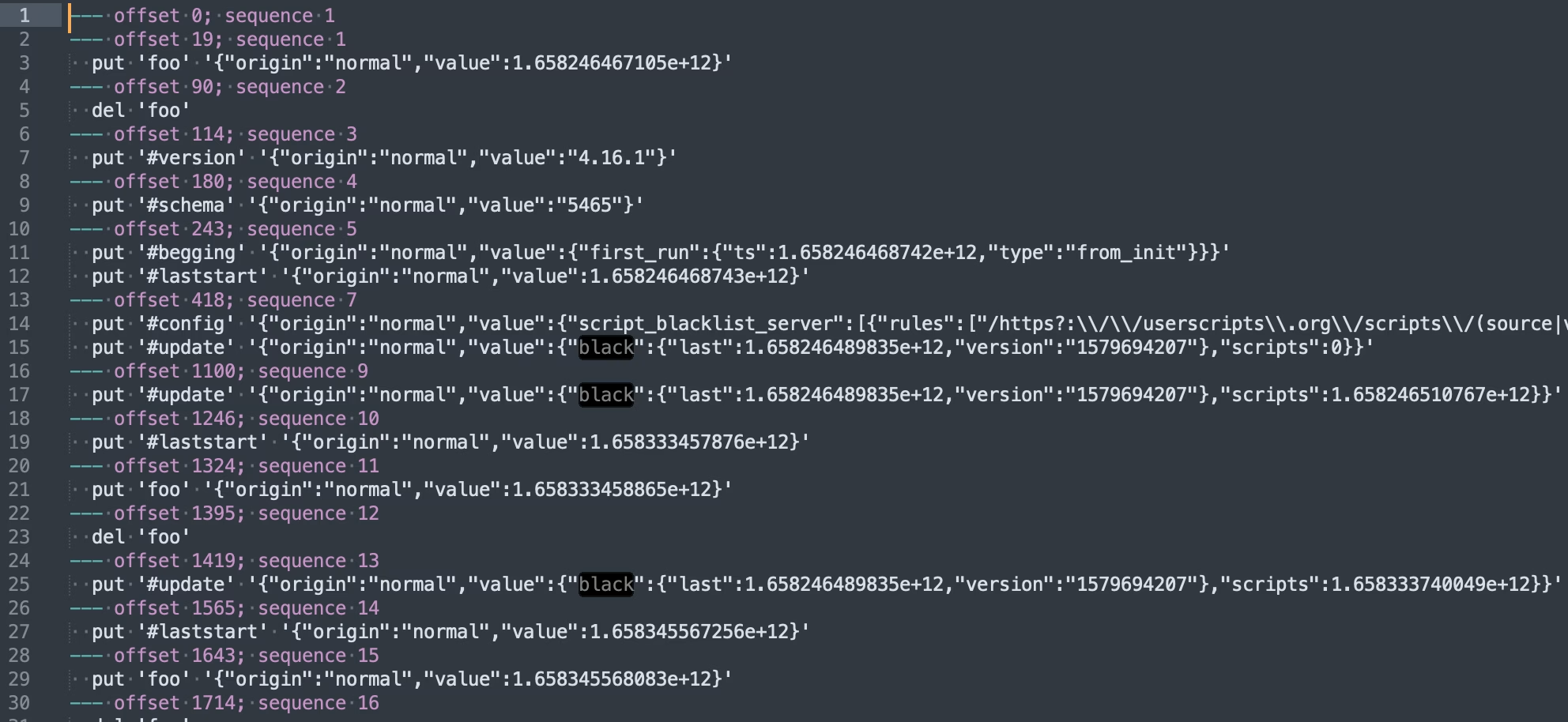
It turns out Chrome buries extension data in your profile directory. The Tampermonkey store lives in a LevelDB folder named after its extension ID:
I used leveldbutil, a C++ command-line tool for dumping LevelDB databases. I had to clone the repo and compile it from source before it would run on macOS.
While doing some development work recently, I wanted to make sure that I disabled all email sending in my test site so that no users imported would get any weird emails.
To do this I had ChatGPT whip me up a quick plugin, and after cleaning it up here it is to share with the world:
<?php/**
* Plugin Name: Restrict and Log Emails
* Description: Blocks emails for users and logs all email attempts.
* Version: 1.3
* Author: Emrikol
*/if ( ! defined( 'ABSPATH' ) ) {
exit; // Prevent direct access.
}
define( 'REL_EMAIL_LOG_DB_VERSION', '1.2' );
/**
* Database installation and upgrade function.
* Creates or updates the email_log table if needed based on a stored version option.
*
* @return void
*/functionrel_install(){
global $wpdb;
$table_name = $wpdb->prefix . 'email_log';
$charset_collate = $wpdb->get_charset_collate();
$sql = "CREATE TABLE $table_name (
id mediumint(9) NOT NULL AUTO_INCREMENT,
recipient_email varchar(100) NOT NULL,
subject text NOT NULL,
message text NOT NULL,
status varchar(20) NOT NULL,
sent_at datetime DEFAULT '0000-00-00 00:00:00' NOT NULL,
PRIMARY KEY (id)
) $charset_collate;";
require_once ABSPATH . 'wp-admin/includes/upgrade.php';
dbDelta( $sql );
// Update the database version option.
update_option( 'rel_email_log_db_version', REL_EMAIL_LOG_DB_VERSION, false );
}
register_activation_hook( __FILE__, 'rel_install' );
/**
* Adds the Email Log submenu to Tools in the WordPress admin area.
*
* @return void
*/functionrel_add_admin_menu(): void{
if ( function_exists( 'add_submenu_page' ) ) {
add_submenu_page(
'tools.php',
'Email Log',
'Email Log',
'manage_options',
'email-log',
'rel_email_log_page'
);
}
}
add_action( 'admin_menu', 'rel_add_admin_menu' );
/**
* Displays the Email Log page in the WordPress admin area.
*
* @return void
*/functionrel_email_log_page(): void{
global $wpdb;
$table_name = $wpdb->prefix . 'email_log';
$logs = $wpdb->get_results( "SELECT * FROM $table_name ORDER BY sent_at DESC LIMIT 50" ); // phpcs:ignore WordPress.DB.DirectDatabaseQuery.DirectQuery, WordPress.DB.DirectDatabaseQuery.NoCaching, WordPress.DB.PreparedSQL.InterpolatedNotPreparedecho'<div class="wrap">';
echo'<h1>Email Log</h1>';
if ( current_user_can( 'manage_options' ) ) {
// Process toggle form submission.if ( isset( $_POST['rel_toggle_blocking'] ) && check_admin_referer( 'rel_toggle_blocking_action', 'rel_toggle_blocking_nonce' ) ) {
// Sanitize and update the blocking option.if ( isset( $_POST['rel_email_blocking_enabled'] ) && in_array( $_POST['rel_email_blocking_enabled'], array( 'enabled', 'disabled' ), true ) ) {
$blocking = $_POST['rel_email_blocking_enabled']; // phpcs:ignore WordPress.Security.ValidatedSanitizedInput.InputNotSanitized
} else {
$blocking = 'enabled';
}
update_option( 'rel_email_blocking_enabled', $blocking, false );
echo'<div class="updated notice"><p>Email blocking has been ' . ( 'enabled' === $blocking ? 'enabled' : 'disabled' ) . '.</p></div>';
}
$current_blocking = get_option( 'rel_email_blocking_enabled', true );
echo'<form method="post" style="margin-bottom:20px;">';
wp_nonce_field( 'rel_toggle_blocking_action', 'rel_toggle_blocking_nonce' );
echo'<p>Email blocking is currently <strong>' . ( 'enabled' === $current_blocking ? 'enabled' : 'disabled' ) . '</strong>.';
echo'<br/><br/><label for="rel_email_blocking_enabled">Toggle: </label>';
echo'<select id="rel_email_blocking_enabled" name="rel_email_blocking_enabled">';
echo'<option value="enabled"' . selected( $current_blocking, 'enabled', false ) . '>Enabled</option>';
echo'<option value="disabled"' . selected( $current_blocking, 'disabled', false ) . '>Disabled</option>';
echo'</select> ';
echo'<input type="submit" name="rel_toggle_blocking" value="Update" class="button-primary" />';
echo'</p>';
echo'</form>';
}
echo'<table class="widefat fixed" cellspacing="0">';
echo'<thead><tr><th>ID</th><th>Email</th><th>Subject</th><th>Message</th><th>Status</th><th>Sent At</th></tr></thead>';
echo'<tbody>';
if ( $logs ) {
foreach ( $logs as $log ) {
$truncated_message = ( strlen( $log->message ) > 30 ) ? substr( $log->message, 0, 30 ) . '…' : $log->message;
echo wp_kses_post(
'<tr>
<td>' . $log->id . '</td>
<td>' . $log->recipient_email . '</td>
<td>' . $log->subject . '</td>
<td>' . $truncated_message . '</td>
<td>' . $log->status . '</td>
<td>' . $log->sent_at . '</td>
</tr>'
);
}
} else {
echo'<tr><td colspan="6">No emails logged yet.</td></tr>';
}
echo'</tbody></table>';
echo'</div>';
}
/**
* Intercepts email sending attempts, restricts emails for users without the 'manage_options' capability, and logs the attempt.
*
* @param null|bool $short_circuit Default value if email is allowed.
* @param array $atts An array of email attributes (to, subject, etc.).
* @return bool|null Returns a non-null value to short-circuit email sending if restricted.
*/functionrel_prevent_email( $short_circuit, $atts ){
global $wpdb;
$table_name = $wpdb->prefix . 'email_log';
$recipient_email = isset( $atts['to'] ) ? $atts['to'] : '';
$subject = isset( $atts['subject'] ) ? $atts['subject'] : '';
$message = isset( $atts['message'] ) ? $atts['message'] : '';
$sent_at = current_time( 'mysql' );
// Check if email blocking is enabled (default true).
$blocking = get_option( 'rel_email_blocking_enabled', 'enabled' );
switch ( $blocking ) {
case'enabled':
$blocking_enabled = true;
break;
case'disabled':
$blocking_enabled = false;
break;
default:
$blocking_enabled = true;
break;
}
// Determine status based on blocking setting.if ( true === $blocking_enabled ) {
$status = 'Blocked';
} else {
$status = 'Sent';
}
// Log the email attempt.
$wpdb->insert( // phpcs:ignore WordPress.DB.DirectDatabaseQuery.DirectQuery
$table_name,
array(
'recipient_email' => $recipient_email,
'subject' => $subject,
'message' => $message,
'status' => $status,
'sent_at' => $sent_at,
)
);
// If blocking is enabled and the current user cannot manage options, block the email, otherwise allow sending.if ( $blocking_enabled ) {
returntrue;
}
returnnull;
}
add_filter( 'pre_wp_mail', 'rel_prevent_email', 10, 2 );
/**
* Checks the current database version and updates the email_log table if necessary.
*
* @return void
*/functionrel_check_db_version(){
if ( get_option( 'rel_email_log_db_version' ) !== REL_EMAIL_LOG_DB_VERSION ) {
rel_install();
}
}
add_action( 'init', 'rel_check_db_version' );
Code language:PHP(php)
As usual, don’t use this slop, nor anything you read here because this is my blarg and I can’t be trusted to do anything correct.
Sometimes when you’re working with a local site, especially with existing data, and need to log in as a user and don’t want to mess with resetting the password (or there’s some weird SSO/MFA that’s getting in the way) you just want it to work.
Well, here you go. This snippet will automatically log you in to WordPress using the admin login. I don’t recommend using this anywhere near production or on a server that’s publicly available–for obvious reasons.
But anyway, here’s the bad idea:
<?php/**
* Force login as admin user on every request.
*/functionlol_bad_idea_force_admin_login(): void{
wp_die( 'This is a really bad idea!' ); // Remove this, it's here to stop copy paste problems for people who don't read the code.// Check if user is not already logged in.if ( ! is_user_logged_in() ) {
// Grab user object by login name.
$user = get_user_by( 'login', 'admin' );
if ( $user ) {
// Set the current user to this admin account.
wp_set_current_user( $user->ID );
// Set the WordPress auth cookie.
wp_set_auth_cookie( $user->ID );
}
}
}
add_action( 'init', 'lol_bad_idea_force_admin_login' );
Code language:PHP(php)
I’m working on a module to add OctoPrint status to my zsh prompt, which I’ll probably write about in the future as a bigger post about my prompt customizations.
To start with that though, I need to play around with accessing the API via curl.
So here’s my super alpha version that will request the current status via HTTP and output it:
#!/bin/bash
OCTOPRINT_API="hunter2"
BASE_URL="http://octoprint.example.com"
JOB_ENDPOINT="${BASE_URL}/api/job"
CURL_TIMEOUT="0.5"# Fetch the JSON from OctoPrint
response="$(curl --max-time ${CURL_TIMEOUT} --silent --fail \
--header "X-Api-Key: ${OCTOPRINT_API}" \
"${JOB_ENDPOINT}")"# Extract fields with jq
file_name=$(jq -r '.job.file.display' <<< "$response")
completion=$(jq -r '.progress.completion' <<< "$response")
state=$(jq -r '.state' <<< "$response")
time_elapsed=$(jq -r '.progress.printTime' <<< "$response")
time_left=$(jq -r '.progress.printTimeLeft' <<< "$response")
# Round the completion percentage to two decimals
completion_str=$(printf"%.2f""$completion")
# Convert seconds to H:MM:SSfunctionfmt_time() {
local total_seconds="$1"local hours=$((total_seconds / 3600))
local minutes=$(((total_seconds % 3600) / 60))
local seconds=$((total_seconds % 60))
printf"%02d:%02d:%02d""$hours""$minutes""$seconds"
}
# Convert the times
time_elapsed_str=$(fmt_time "$time_elapsed")
time_left_str=$(fmt_time "$time_left")
# Print a readable summaryecho"File: ${file_name}"echo"State: ${state}"echo"Completion: ${completion_str}%"echo"Time Elapsed: ${time_elapsed_str}"echo"Time Left: ${time_left_str}"Code language:Bash(bash)