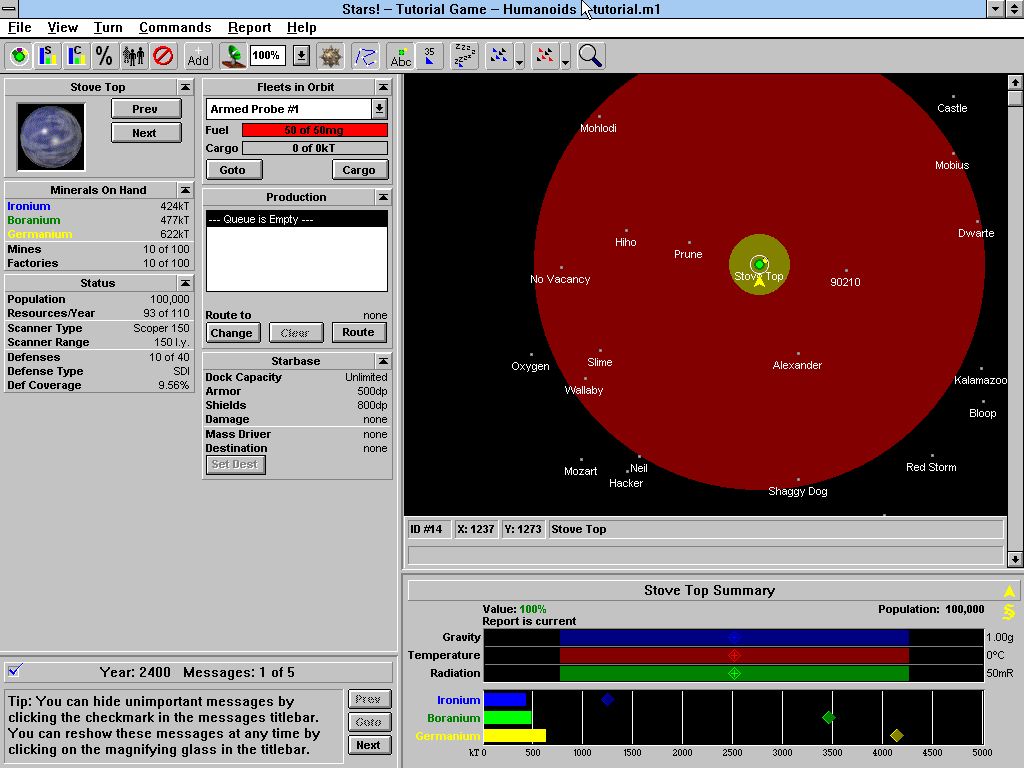
If you don’t know it, it’s a 4X space strategy game from 1995, Windows 3.x era, and it’s one of those games always end up thinking about, from my youth as a wee lad. The problem is it only runs in a 16/32 bit Windows environment, and getting that running on Apple Silicon in 2026 involves enough emulator layers make it a pain.
So I started decompiling it. The plan: figure out enough of the internals to build a native Apple Silicon port I can just… run. Like a normal person.
Turns out decompiling a 30-year-old Win16 game is a lot of work (I know, shocking), and at some point I needed a way to have an LLM automate testing against the real thing running in an emulator: launch the app, click through some UI, verify state, repeat. Basically a test harness for Windows 3.1.
There wasn’t one. So I built one.
The way this works is stupidly simple. You write a command to a text file. A tiny program running inside a DOS VM reads it, executes it, and writes the result to another file. That’s the entire protocol.
No sockets. No shared memory. Just files.
It’s called legacy-mcps because naming is hard, and the premise is remote-controlling DOS and Windows 3.1 from a modern machine. Two agents: a DOS TSR written in 8086 assembly, and a Win16 application written in C with Open Watcom. Both run inside their respective ancient OSes and expose an API to the outside world through this file-based IPC channel.
Why files
The shared drive is the trick. DOSBox-X can mount a host directory as a DOS drive. emu2 (a lightweight headless DOS emulator) does the same. The “files” the VM reads and writes are literally just files on the host. The host writes a command to __MCP__.TX, the agent polls for it, reads and deletes it, runs the command, and writes the response to __MCP__.RX. Response is either OK <result> or ERR <code>. Everything is ASCII. Everything fits on one line.
It’s almost offensively simple. But it works, and it works through every virtualization layer without any special driver support.
The DOS TSR
DOSMCP.COM is about 27KB of 8086 assembly (NASM, targeting real-mode DOS). It hooks INT 08h, the BIOS timer interrupt (which fires ~18 times per second), and uses that to poll for commands without blocking anything else. In TSR mode it installs itself and hands control back to DOS. Other programs keep running while it sits in the background.
153 commands across 22 families. Memory peek/poke, I/O port access, full file I/O, console control, VGA palette, raw interrupt invocation, APM power management, TSR enumeration. Basically anything you can do from DOS, you can now do remotely.
The fun part was getting TSR reentrancy right. DOS isn’t reentrant. If you call a DOS function while another one is already running, things go sideways. The standard fix is polling the InDOS flag (INT 21h/34h hands you a pointer to it) before touching any DOS function. Getting that right in 8086 assembly with no runtime support is… a time. So, thank you to my dear friend Claude.
The Win16 app
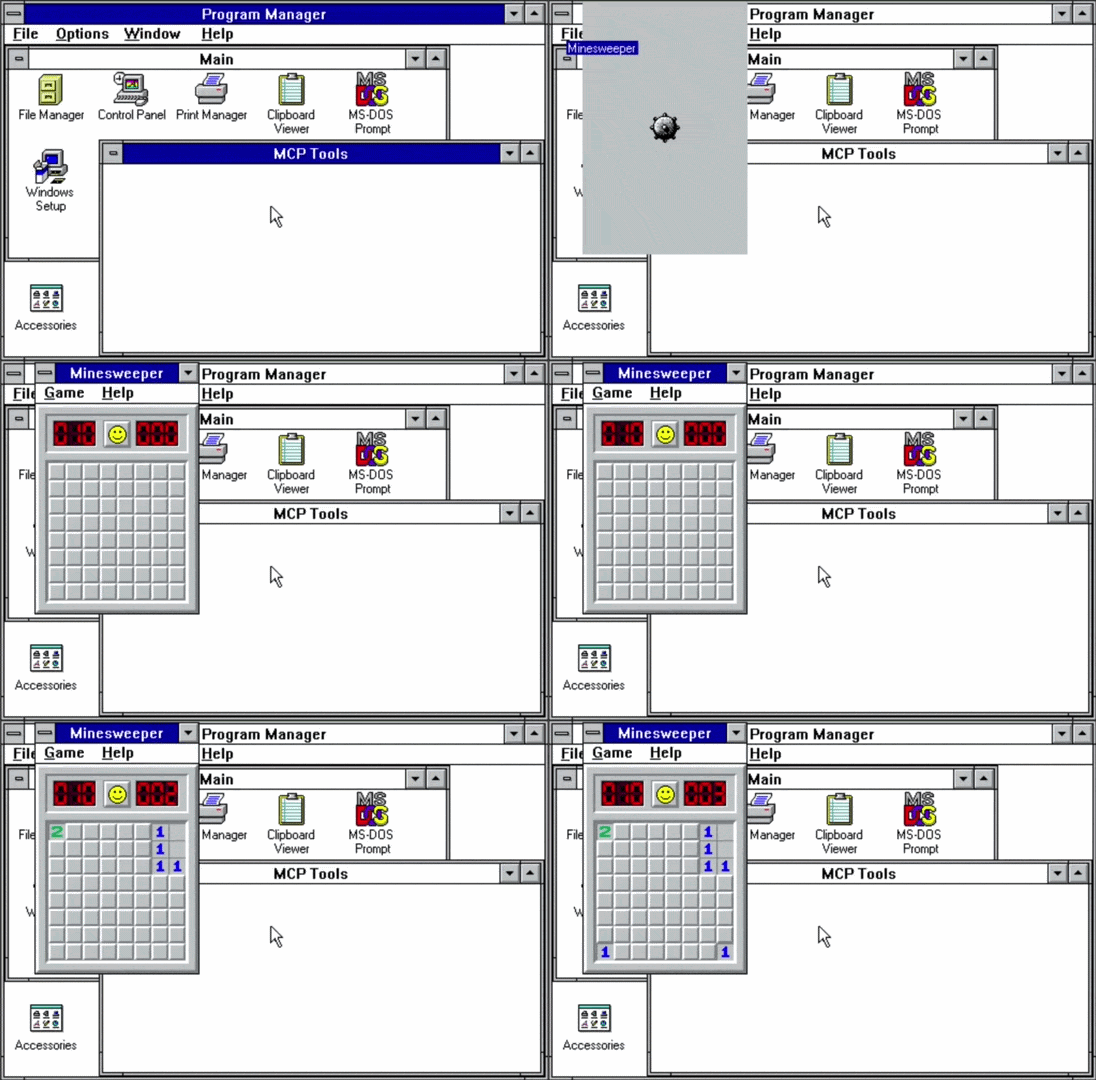
WINMCP.EXE is a hidden Win16 application, about 20KB as a New Executable, written in C with Open Watcom cross-compiling from macOS ARM64. It creates an invisible window, sets a 200ms timer, and polls for commands on each tick. Same protocol, different channel.
91 command families. Window enumeration and control, SendMessage/PostMessage, DDE, clipboard, dialog manipulation, mouse and keyboard simulation, journal record/playback via a companion hook DLL. Pretty much the a mini Win16 API surface, exposed over text files.
The scripting library is where it gets fun. lib/win-auto.js wraps all of this in a Playwright-style Node.js API:
const win = new WinAuto({ magicDir: './share/_MAGIC_' });
await win.waitForReady();
const notepad = await win.exec('NOTEPAD.EXE');
await notepad.type('Hello from 2026!');
await notepad.selectAll();
await notepad.capture();
await notepad.close();Code language: JavaScript (javascript)waitForWindow(), locator(), sendKeys(), getClipboard(), the whole thing. Writing Playwright-style automation for a 32-year-old operating system is genuinely pretty fun.
The patched tools
Two tools needed surgery.
emu2 is a minimal DOS emulator for headless testing. Stock emu2 treats HLT as program termination. Bad news, because TSRs idle in HLT loops waiting for timer interrupts. I patched it to set an exit_cpu flag instead, so the main loop can fire interrupts and wake the TSR back up. Also added proper TSR support (INT 21h/31h), the InDOS flag, INT 28h for DOS idle, and a mouse driver. The patched binary runs all 153 DOS MCP tests headlessly in about 30 seconds.
DOSBox-X needed two things: a fix for the ARM64 OpenGL crash (Apple Silicon just kills the default renderer) and a TCP control server so the test harness can drive it without GUI interaction. The control server accepts text commands over localhost: PING, SCREENSHOT, SCREEN, TYPE, KEY, QUIT, and lets you automate the whole GUI from the outside.
Both patches are in patches/ as proper diffs with instructions for cloning the upstream repos and applying them. The base commits are pinned so it’s reproducible.
The LAN Manager server
For DOSBox-X and emu2 testing, the shared drive is just a host directory mount. But for real hardware, or an emulator that doesn’t support directory mounting like 86box, you need a network share.
Windows for Workgroups 3.11 only speaks LANMAN2.1 over NetBIOS-over-TCP (port 139). Modern Samba won’t negotiate down that far. macOS file sharing definitely won’t. So I built a minimal LANMAN2.1 SMB server in Node.js (smb-share/lanman-server.js) that speaks exactly what WFW 3.11 expects: NetBIOS session layer, DOS error codes (not NT status codes), OEM codepages, no Unicode, no NTLMSSP. Just the old dialect.
Anyways…
Pre-built binaries are in share/ if you just want to grab and run without building anything. The whole thing is at github.com/emrikol/legacy-mcps.
The tests pass. I’m still a little surprised.

Leave a Reply