Tag: http

  • iOS Reminders to Habitica To Do’s via IFTTT

    iOS Reminders to Habitica To Do’s via IFTTT

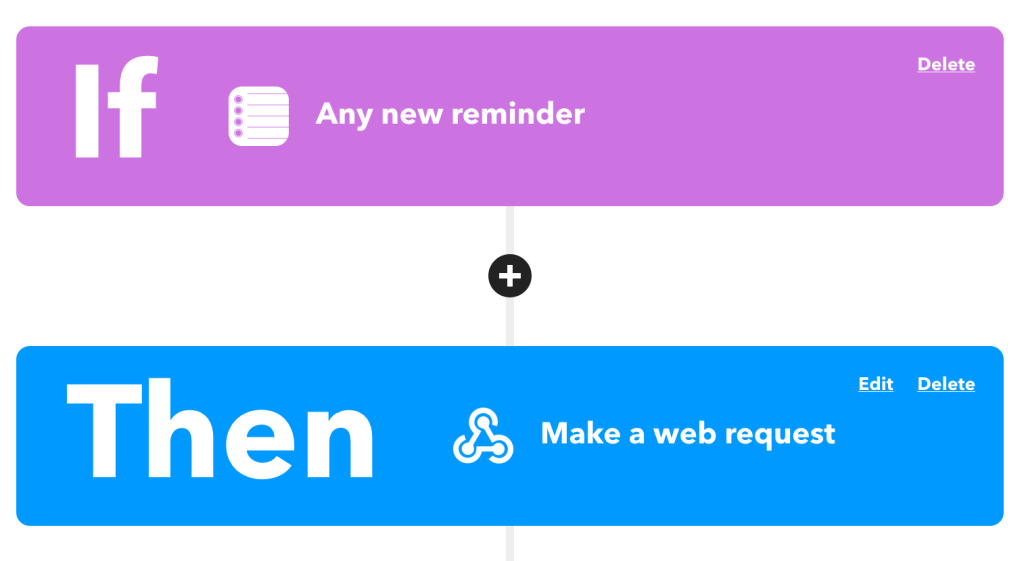
    After digging around for a while trying to see how I could link up iOS’s Reminders with Habitica‘s To Do’s to help keep me organized, I finally found an easy way through IFTTT.

    This works easily because Habitica offers a wonderful APIπŸ’₯

    Specifically we’re looking at the “Create a new task belonging to the user” API endpoint:

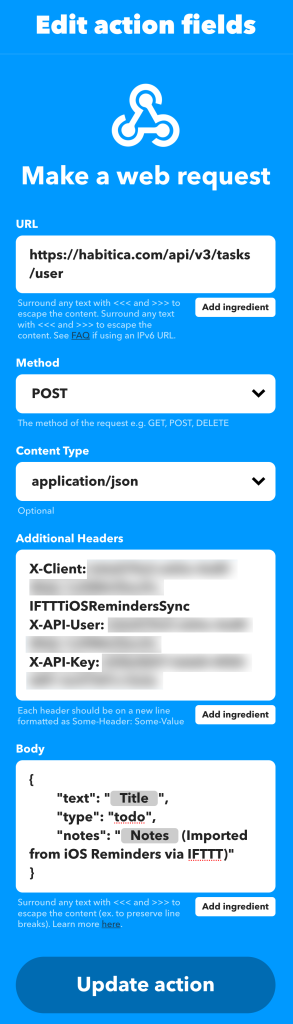
    https://habitica.com/api/v3/tasks/user

    With this, we’ll need to make a POST request with some special headers to authenticate and then a body payload made of JSON:

    Headers:

    X-Client: my-user-id-IFTTTiOSRemindersSync
    X-API-User: my-user-id
    X-API-Key: my-api-keyCode language: HTTP (http)

    Body:

    {
    	"text": "{{Title}}",
    	"type": "todo",
    	"notes": "{{Notes}} (Imported from iOS Reminders via IFTTT)"
    }Code language: JSON / JSON with Comments (json)

    From here, IFTTT will fill in the title, notes, and ship it off to Habitica for me to check off for some sweet XP!

  • phpMyAdmin and MariaDB with Docker

    phpMyAdmin and MariaDB with Docker

    I used to run a MariaDB server on an old Linux machine for working with database dumps and other things, but after moving all of that to a new Raspberry Pi 4, I never really set it back up.

    So instead I thought I’d play with this fancy new Docker stuff all the cool kids are talking about. I ended up getting phpMyAdmin and MariaDB working with Docker on my MacBook Pro.

    Caveat:

    To start up the MariaDB container thing, I ran this command:

    docker run -d \
     -v $HOME:/home/hosthome \
     --name mariadb \
     -e MYSQL_ROOT_PASSWORD=hunter2 \
     -e MYSQL_DATABASE='default_db' \
     mariadbCode language: JavaScript (javascript)

    A few things here you might want to make note of:

    • hunter2 – My MariaDB root password.
    • default_db – The default database created, just to make things easy.
    • $HOME – This attached my local machine’s home directory to the MariaDB container so I can import/export files.

    Secondly, I ran this to start phpMyAdmin and connect it to the Docker container:

    docker run -d \
     --name phpmyadmin \
     --link mariadb:db \
     -p 8081:80 \
     -e UPLOAD_LIMIT='4096M' \
     phpmyadmin/phpmyadminCode language: JavaScript (javascript)

    A few things here you might want to make note of:

    • 8081 – This is the local machine port that I will connect to via HTTP
    • 4096M – The default upload limit, set to 4 Gigs.

    Now, once this done, you should be able to connect to phpMyAdmin via http://localhost:8081/ and do all sorts of terrible things.

    Here’s a few more commands that may come in handy:

    Start a shell in the MariaDB container: docker exec -it mariadb bash

    Import a SQL file: docker exec -i mariadb sh -c 'exec mysql -uroot -phunter2 default_db' < /some/path/on/your/host/all-databases.sql

    Start a MariaDB “mysql” shell: docker exec -it mariadb sh -c 'exec mysql -uroot -phunter2 default_db'

    References that helped me:

  • Wisps, a WordPress Plugin

    Wisps, a WordPress Plugin

    Last year I had a need for an editable JSON file that was retrievable via HTTP. Of course there’s a million ways that I could do this, but the easiest I thought of would be to have it inside of WordPress, since all of the people that needed access to edit the file already had edit access to a specific site. So I built a plugin.

    Doing this inside WordPress already brings a lot of benefits with little to no effort:

    1. User Management
    2. Revision History
    3. oEmbed Support
    4. Permalinks
    5. Syntax Highlighting Code Editor
    6. Self-Hosted Data

    Possibly more benefits as well, depending on the setup, such as caching.

    I’ve tweaked the plugin some, and I’m almost ready to submit it to the WordPress.org Plugin Repository. I just need to do the hard part of figuring out artwork. Ugh.

    Introducing Wisps:

    Wisps are embeddable and sharable code snippets for WordPress.

    With Wisps, you can have code snippets similar to Gist, Pastebin, or similar code sharing sites. Using the built-in WordPress code editor, you can write snippets to post and share. This has the benefit of WordPress revisions, auto-drafts, etc to keep a record of how code changes.

    Wisps can be downloaded by appending /download/ to the permalink, or viewed raw by adding /view/ or /raw/. There is full oEmbed support so you can just paste in a link to a wisp in the editor and it will be fully embedded.

    PrismJS is used for syntax highlighting for oEmbeds.

    You can add Wisp support to your theme either by modifying the custom post type page-wisp.php template, which will continue to display Wisps in the loop securely, or you can use add_theme_support( 'wisps' ) to tell the plugin to not automatically escape the output. You can then do what you like, such as potentially adding frontend support for syntax highlighting.

    Here’s what the oEmbed data looks like:

    (Yeah, I totally stole the design from Gists, because I’m not talented 😬)

    View the example Wisp

    View it raw

    Download it

    Currently available on GitHub

    Hopefully one day available on the WordPress.org Plugin Repository πŸ™‚

    If you give it a try and have any suggestions, or issues drop me a line here or on GitHub!

  • Quick Tip: Viewing Headers With Curl

    Quick Tip: Viewing Headers With Curl

    Something that I do often at work is to check HTTP headers for random things such as redirects, cache headers, proxies, ssl, etc.

    A common way this is done is by using the -I (--header) switch:

    $ curl -I http://example.com/
    HTTP/1.1 200 OK
    Content-Encoding: gzip
    Accept-Ranges: bytes
    Cache-Control: max-age=604800
    Content-Type: text/html
    Date: Wed, 27 Jun 2018 22:03:57 GMT
    Etag: "1541025663+gzip"
    Expires: Wed, 04 Jul 2018 22:03:57 GMT
    Last-Modified: Fri, 09 Aug 2013 23:54:35 GMT
    Server: ECS (atl/FC94)
    X-Cache: HIT
    Content-Length: 606
    Code language: JavaScript (javascript)

    The downside to this is that it uses an HTTP HEAD request, which can sometimes return different headers or different information than a standard GET request. This can be fixed by using the -X (--request) switch. This overrides the default HEAD?request with whatever you choose:

    $ curl -I -XGET http://example.com/
    HTTP/1.1 200 OK
    Accept-Ranges: bytes
    Cache-Control: max-age=604800
    Content-Type: text/html
    Date: Wed, 27 Jun 2018 22:07:47 GMT
    Etag: "1541025663"
    Expires: Wed, 04 Jul 2018 22:07:47 GMT
    Last-Modified: Fri, 09 Aug 2013 23:54:35 GMT
    Server: ECS (atl/FC90)
    Vary: Accept-Encoding
    X-Cache: HIT
    Content-Length: 1270
    Code language: JavaScript (javascript)

    I like to just combine them into one quick command: curl -IXGET http://example.com/

  • CSS & JS Concatenation in WordPress

    CSS & JS Concatenation in WordPress

    At WordPress.com VIP one of the features we have on our platform is automated concatenation of Javascript and CSS files when registered through the core WordPress wp_enqueue__*() functions.

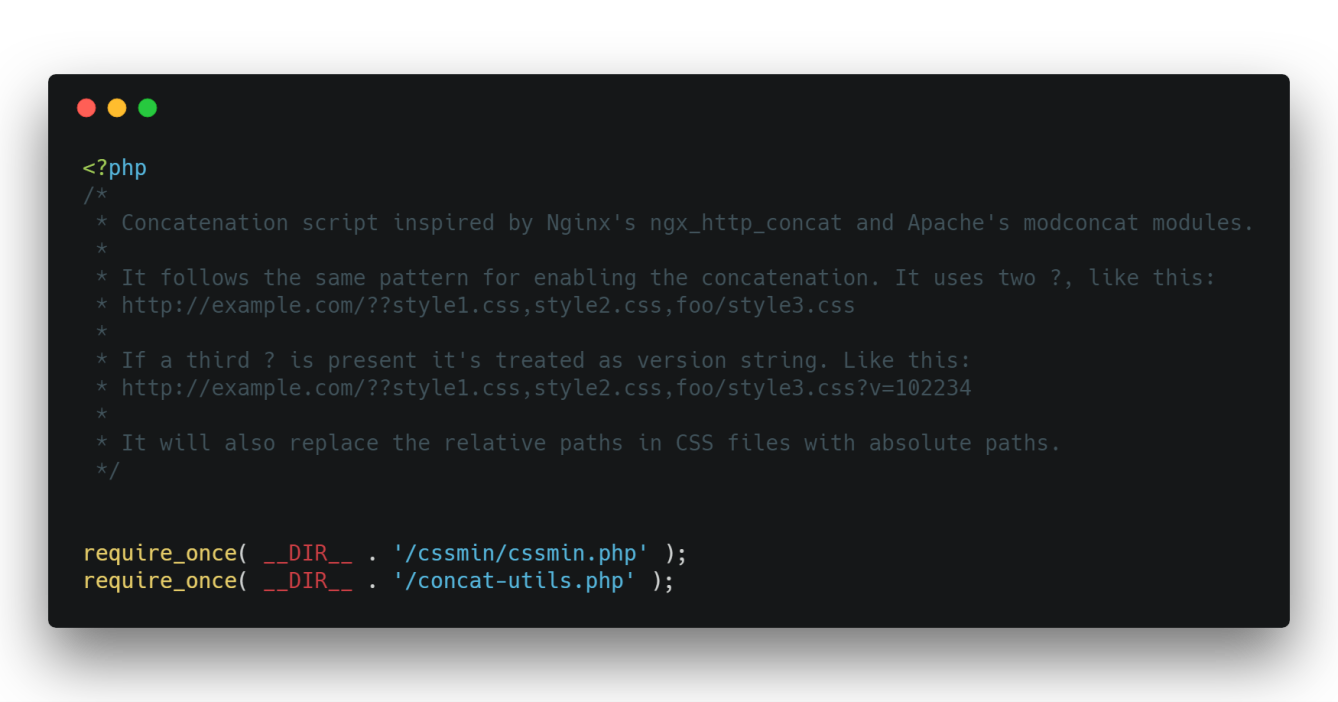
    We do this using the nginx-http-concat plugin:

    This plugin was written to work with nginx, but the server running derrick.blog is Apache.  I’ve worked around this and have nginx-http-concat running fully in WordPress, with added caching.

    The bulk of the plugin is this file, which does all of the work of caching and calling the nignx-http-concat plugin:

    <?php
    // phpcs:disable WordPress.VIP.SuperGlobalInputUsage.AccessDetected, WordPress.Security.ValidatedSanitizedInput, WordPress.VIP.FileSystemWritesDisallow, WordPress.VIP.RestrictedFunctions.file_get_contents_file_get_contents, WordPress.WP.AlternativeFunctions.file_get_contents_file_get_contents, WordPress.WP.AlternativeFunctions.file_system_read_file_get_contents, WordPress.WP.AlternativeFunctions.file_system_read_file_put_contents, WordPress.WP.AlternativeFunctions.json_encode_json_encode
    if ( isset( $_SERVER['REQUEST_URI'] ) && '/_static/' === substr( $_SERVER['REQUEST_URI'], 0, 9 ) ) {
    	$cache_file      = WP_HTTP_CONCAT_CACHE . '/' . md5( $_SERVER['REQUEST_URI'] );
    	$cache_file_meta = WP_HTTP_CONCAT_CACHE . '/meta-' . md5( $_SERVER['REQUEST_URI'] );
    
    	if ( file_exists( $cache_file ) ) {
    		if ( time() - filemtime( $cache_file ) > 2 * 3600 ) {
    			// file older than 2 hours, delete cache.
    			unlink( $cache_file );
    			unlink( $cache_file_meta );
    		} else {
    			// file younger than 2 hours, return cache.
    			if ( file_exists( $cache_file_meta ) ) {
    				$meta = json_decode( file_get_contents( $cache_file_meta ) );
    				if ( null !== $meta && isset( $meta->headers ) ) {
    					foreach ( $meta->headers as $header ) {
    						header( $header );
    					}
    				}
    			}
    			$etag = '"' . md5( file_get_contents( $cache_file ) ) . '"';
    
    			ob_start( 'ob_gzhandler' );
    			header( 'x-http-concat: cached' );
    			header( 'Cache-Control: max-age=' . 31536000 );
    			header( 'ETag: ' . $etag );
    
    			if ( isset( $_SERVER['HTTP_IF_MODIFIED_SINCE'] ) ) {
    				if ( strtotime( $_SERVER['HTTP_IF_MODIFIED_SINCE'] ) < filemtime( $cache_file ) ) {
    					header( 'HTTP/1.1 304 Not Modified' );
    					exit;
    				}
    			}
    
    			echo file_get_contents( $cache_file ); // phpcs:ignore WordPress.Security.EscapeOutput.OutputNotEscaped -- We need to trust this unfortunately.
    			$output = ob_get_clean();
    			echo $output; // phpcs:ignore WordPress.Security.EscapeOutput.OutputNotEscaped -- We need to trust this unfortunately.
    			die();
    		}
    	}
    	ob_start( 'ob_gzhandler' );
    	require_once 'nginx-http-concat/ngx-http-concat.php';
    
    	$output = ob_get_clean();
    	$etag  = '"' . md5( file_get_contents( $output ) ) . '"';
    	$meta   = array(
    		'headers' => headers_list(),
    	);
    
    	header( 'x-http-concat: uncached' );
    	header( 'Cache-Control: max-age=' . 31536000 );
    	header( 'ETag: ' . $etag );
    
    	if ( isset( $_SERVER['HTTP_IF_MODIFIED_SINCE'] ) ) {
    		if ( strtotime( $_SERVER['HTTP_IF_MODIFIED_SINCE'] ) < filemtime( $cache_file ) ) {
    			header( 'HTTP/1.1 304 Not Modified' );
    			exit;
    		}
    	}
    
    	file_put_contents( $cache_file, $output );
    	file_put_contents( $cache_file_meta, json_encode( $meta ) );
    	echo $output; // phpcs:ignore WordPress.Security.EscapeOutput.OutputNotEscaped -- We need to trust this unfortunately.
    	die();
    }
    Code language: HTML, XML (xml)

    This little bit of code in wp-config.php is what calls the above file, before WordPress even initializes, to make this as speedy as possible:

    define( 'WP_HTTP_CONCAT_CACHE', dirname(__FILE__) . '/wp-content/cache/http-concat-cache' );
    require_once dirname(__FILE__) . '/wp-content/mu-plugins/emrikol-defaults/config-nginx-http-concat.php';Code language: PHP (php)

    Finally, in an mu-plugin these lines enable the nginx-http-concat plugin:

    require_once( plugin_dir_path( __FILE__ ) . 'emrikol-defaults/nginx-http-concat/cssconcat.php' );
    	require_once( plugin_dir_path( __FILE__ ) . 'emrikol-defaults/nginx-http-concat/jsconcat.php' );Code language: PHP (php)

    All of this could definitely be packed into a legit plugin, and even leave room for other features, such as:

    • An admin UI for enabling/disabling under certain condition
    • A “clear cache” button
    • A cron event to regularly delete expired cache items

    As it is now though, I’m just leaving it be to see how well it works.  Wish me luck πŸ™‚